Security workforce platform · Built in Bengaluru

Every shift, proven.

SecureSiteAI gives guarding companies a control room that knows who is on post right now: geofenced check-in, selfie verification, live patrol tracking and instant emergency alerts — on one record your clients can trust.

Shift ledger illustrative feed
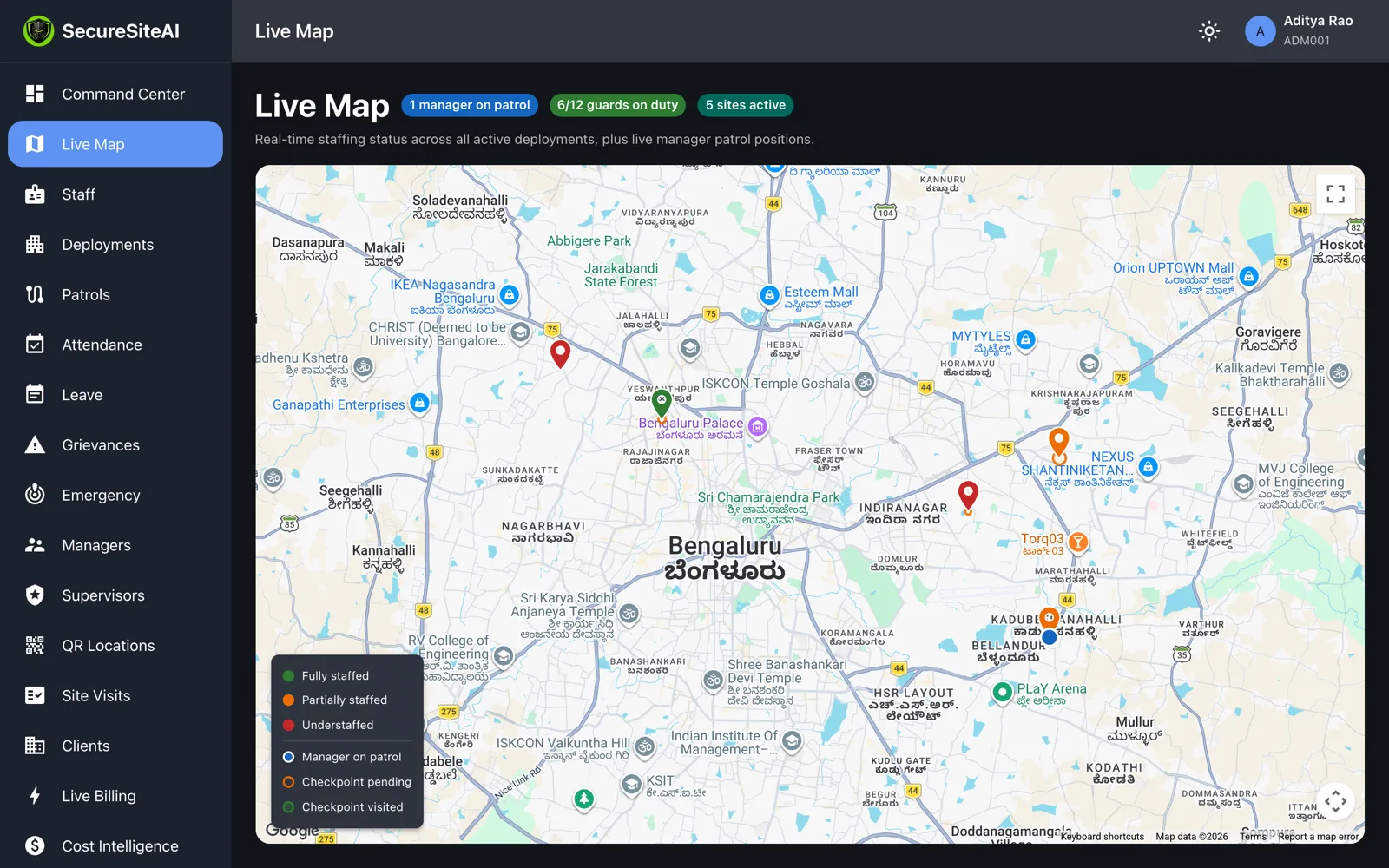
SecureSiteAI Command Center live map showing five active sites across Bengaluru, guards on duty and a manager on patrol

Our products

Four views. One shift record.

The guard app writes the record, the supervisor watches one site, the manager inspects sites on patrol, and the Command Center runs the operation. Nothing is typed in twice.

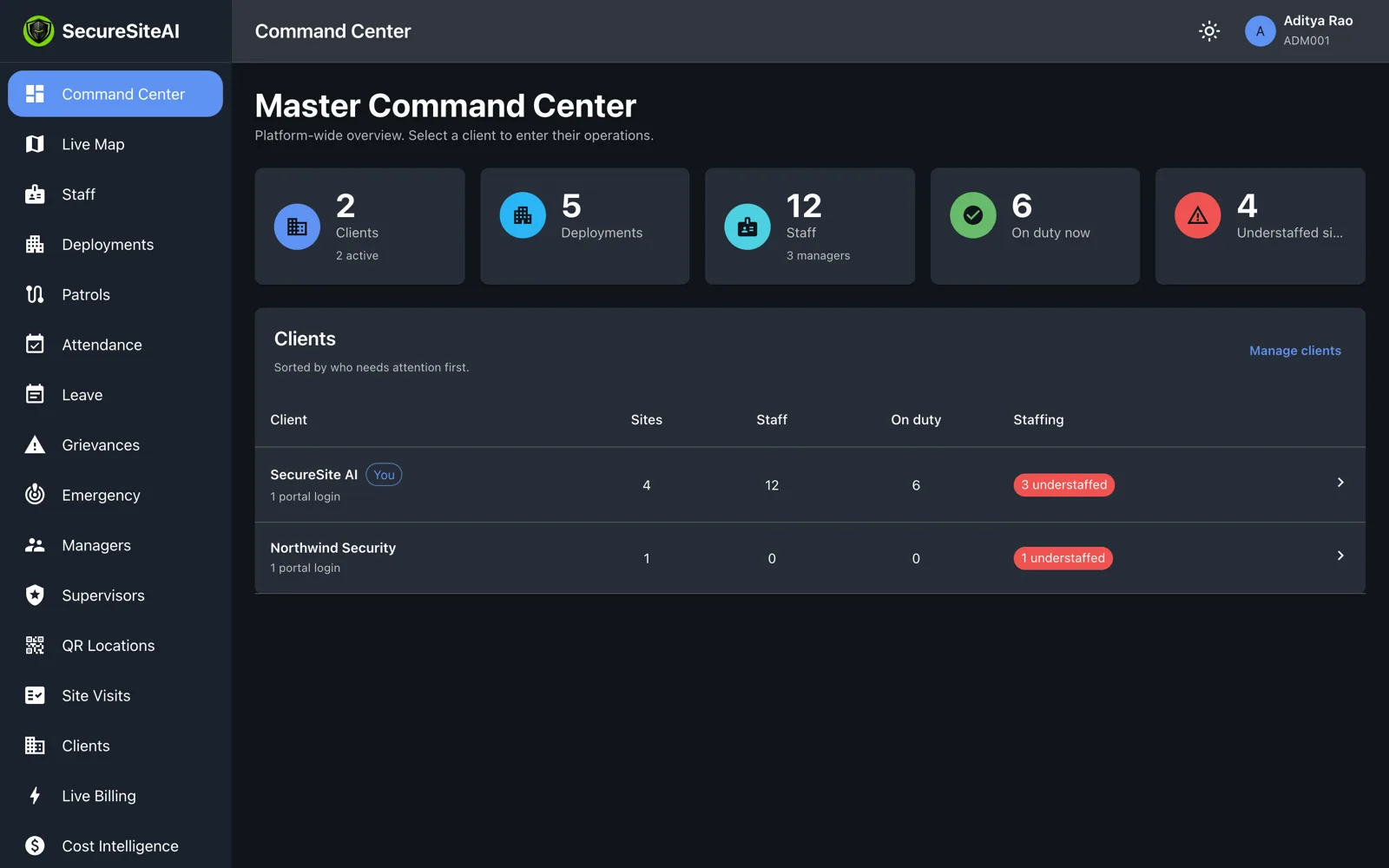
Master Command Center with client, deployment, staff and on-duty counts and a client list sorted by who needs attention

Web

Command Center

The operations desk for your whole business: every client, every site, every guard — with the understaffed sites sorted to the top.

  • Live map of sites, on-duty guards and managers on patrol
  • Attendance with GPS fix, selfie and timestamp per shift
  • Leave, grievances and emergency incidents in one queue
  • Read-only client portal for each customer you guard for
Explore Command Center
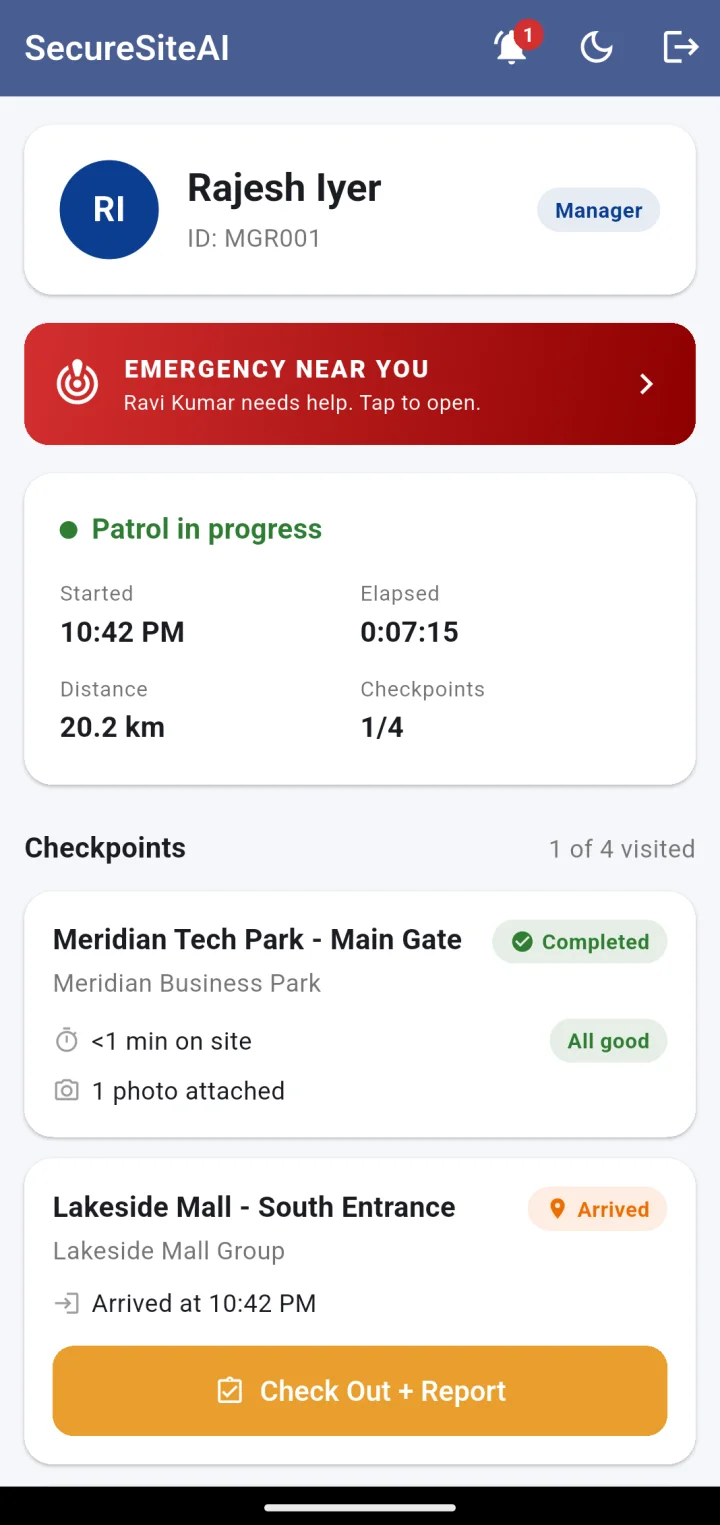
Manager app: patrol in progress with elapsed time, distance and checkpoints visited
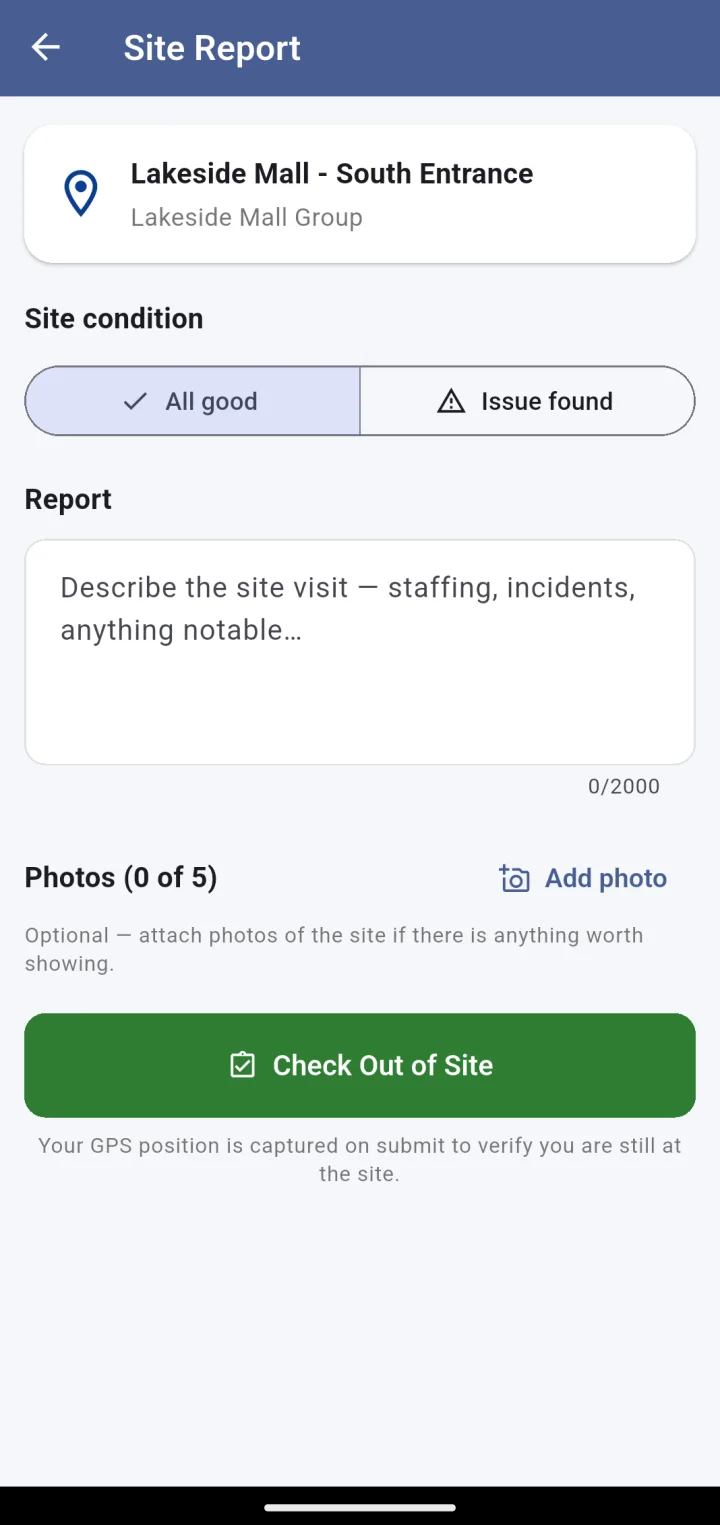
Manager app: site report with condition, notes and up to five photos

Android

Manager app

Managers patrol on the app. Every site visit is checked in, reported and photographed — so “I visited all four sites” is a record, not a claim.

  • Patrol shifts with a recorded route between sites
  • Check-in and check-out at each checkpoint with a site report
  • Respond to the nearest emergency with live location
  • Route, distance and checkpoints visible live in the Command Center
Explore Manager app
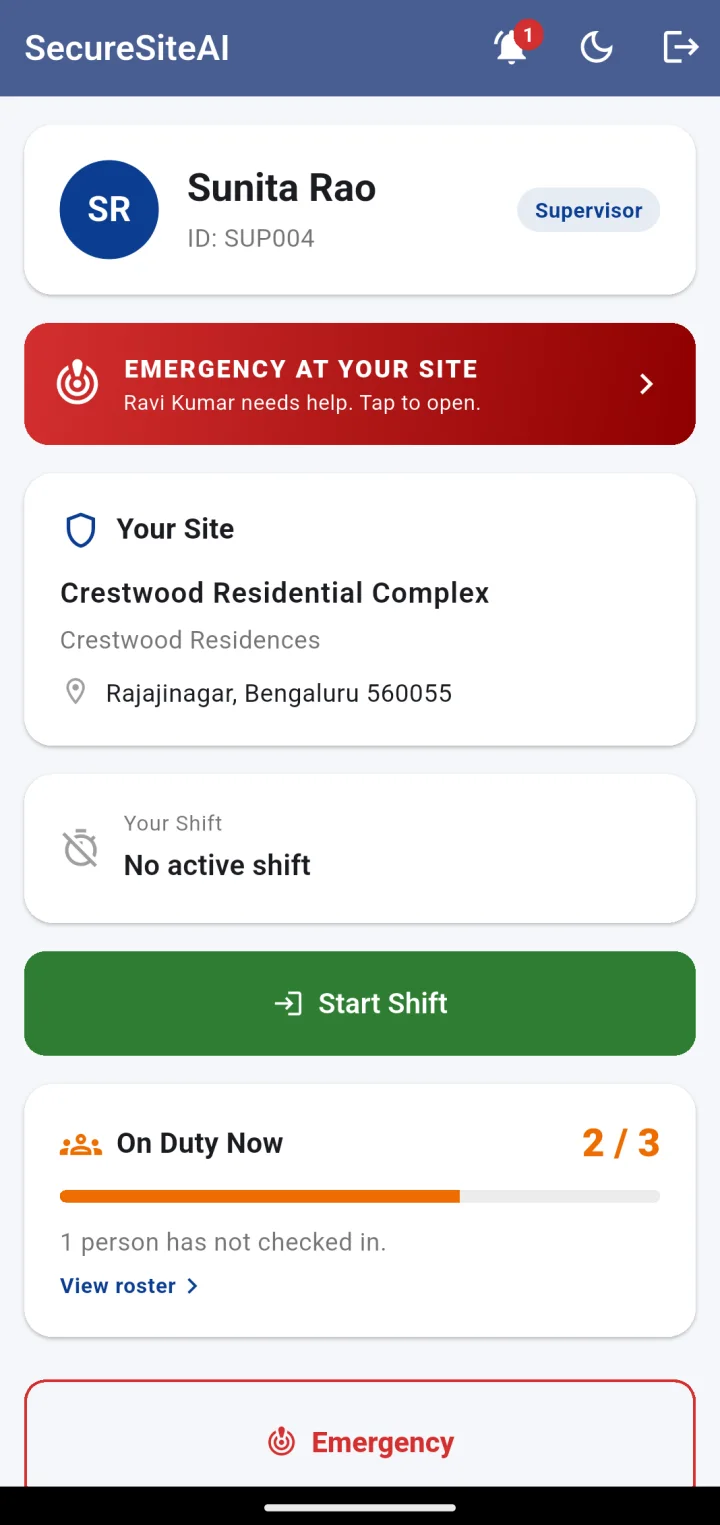
Supervisor app home: on-duty meter reading 2 of 3, one person not checked in, emergency banner
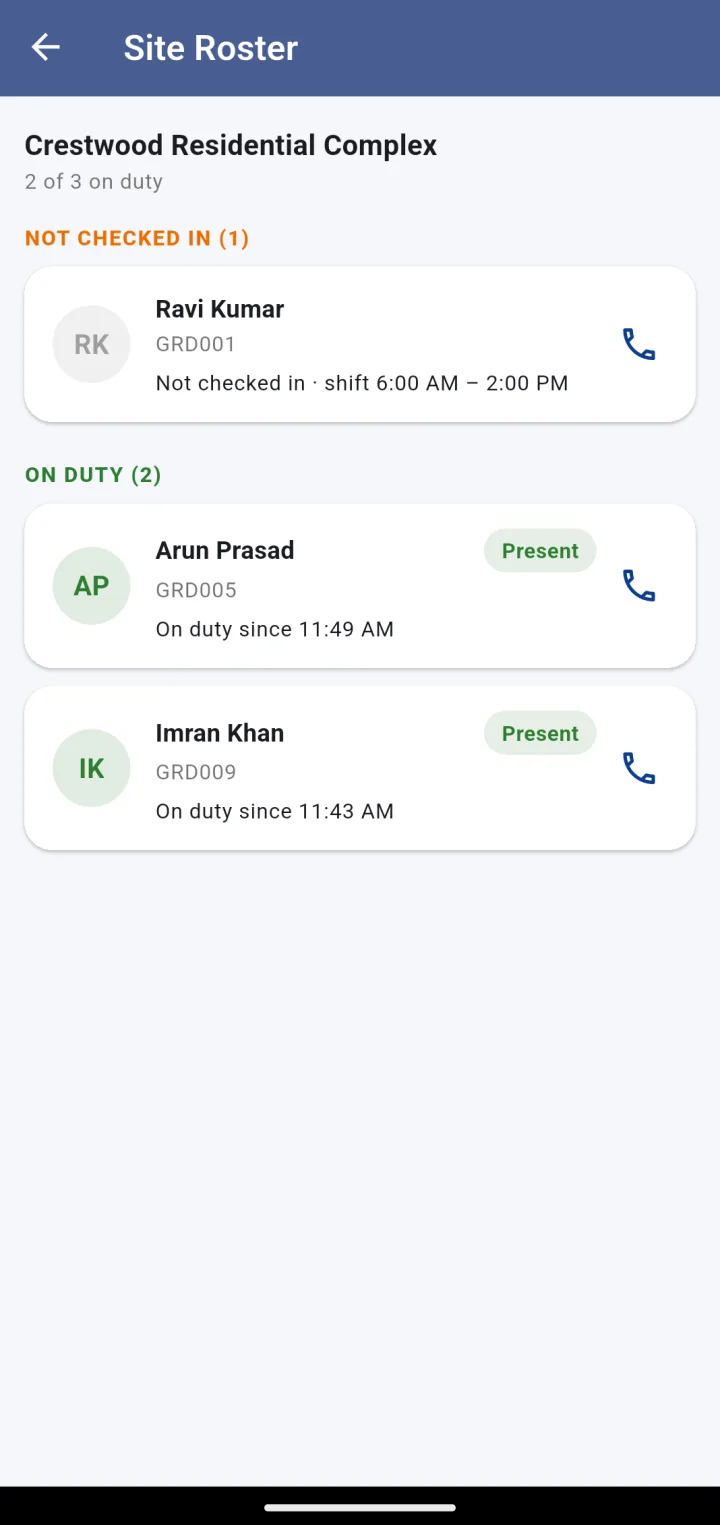
Supervisor app site roster: not-checked-in guards first with a Call button, then on-duty guards

Android

Supervisor app

For the person responsible for one site. How many are on post, who is missing, and a Call button beside every name that has not checked in.

  • Live on-duty meter against the site’s required headcount
  • Roster sorted by who is missing, with one-tap calling
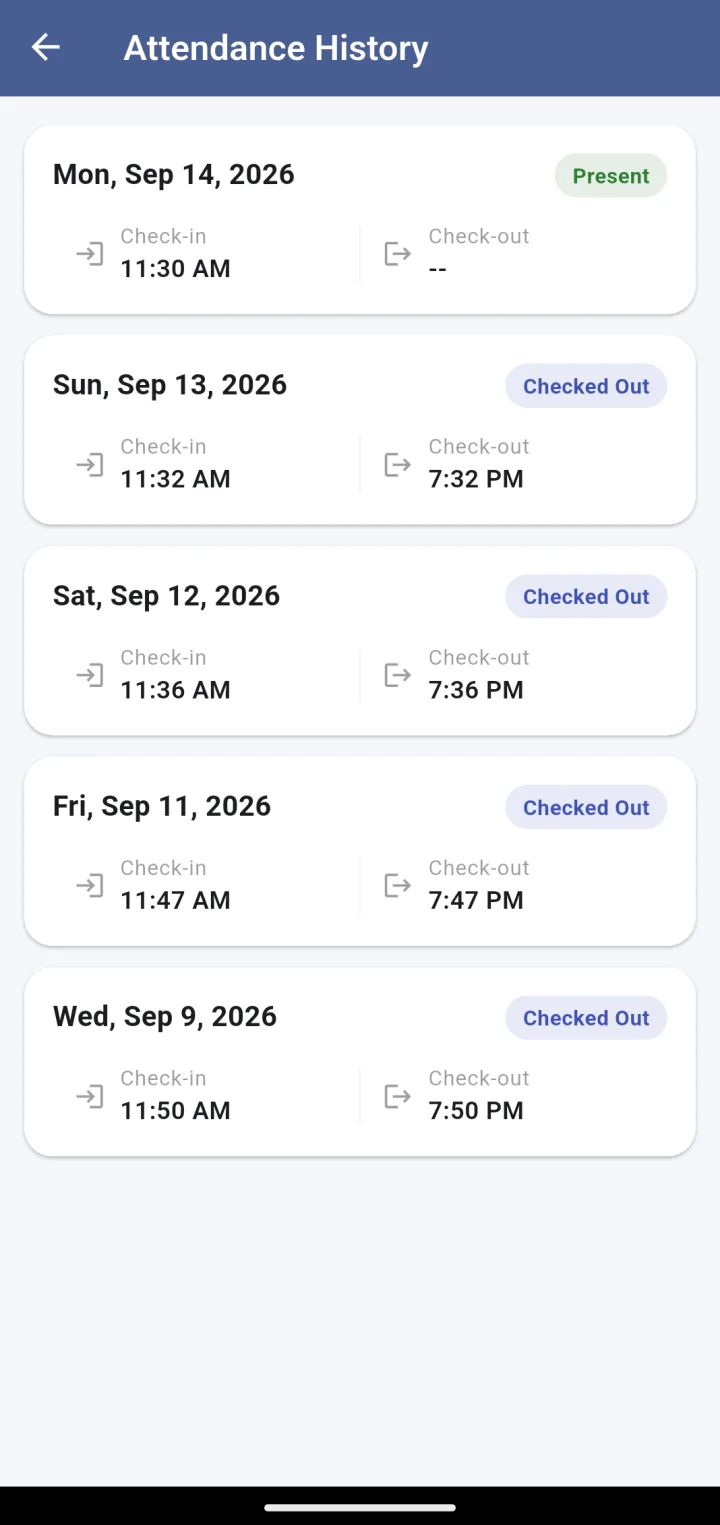
  • Site attendance history by date
  • Emergency alerts for incidents at the site
Explore Supervisor app
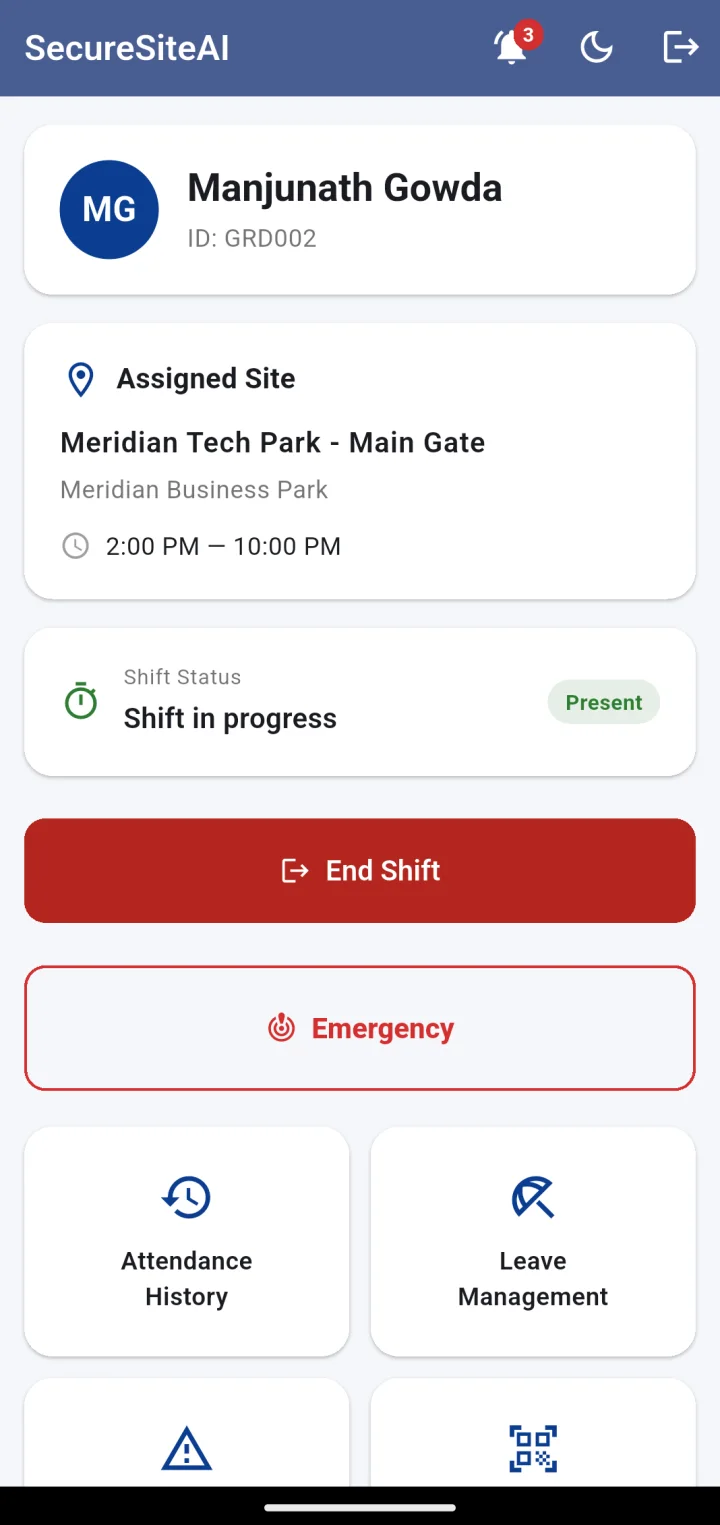
Guard app home: assigned site, shift in progress, End Shift and Emergency buttons
Guard app attendance history: each day with status, check-in and check-out times

Android

Guard app

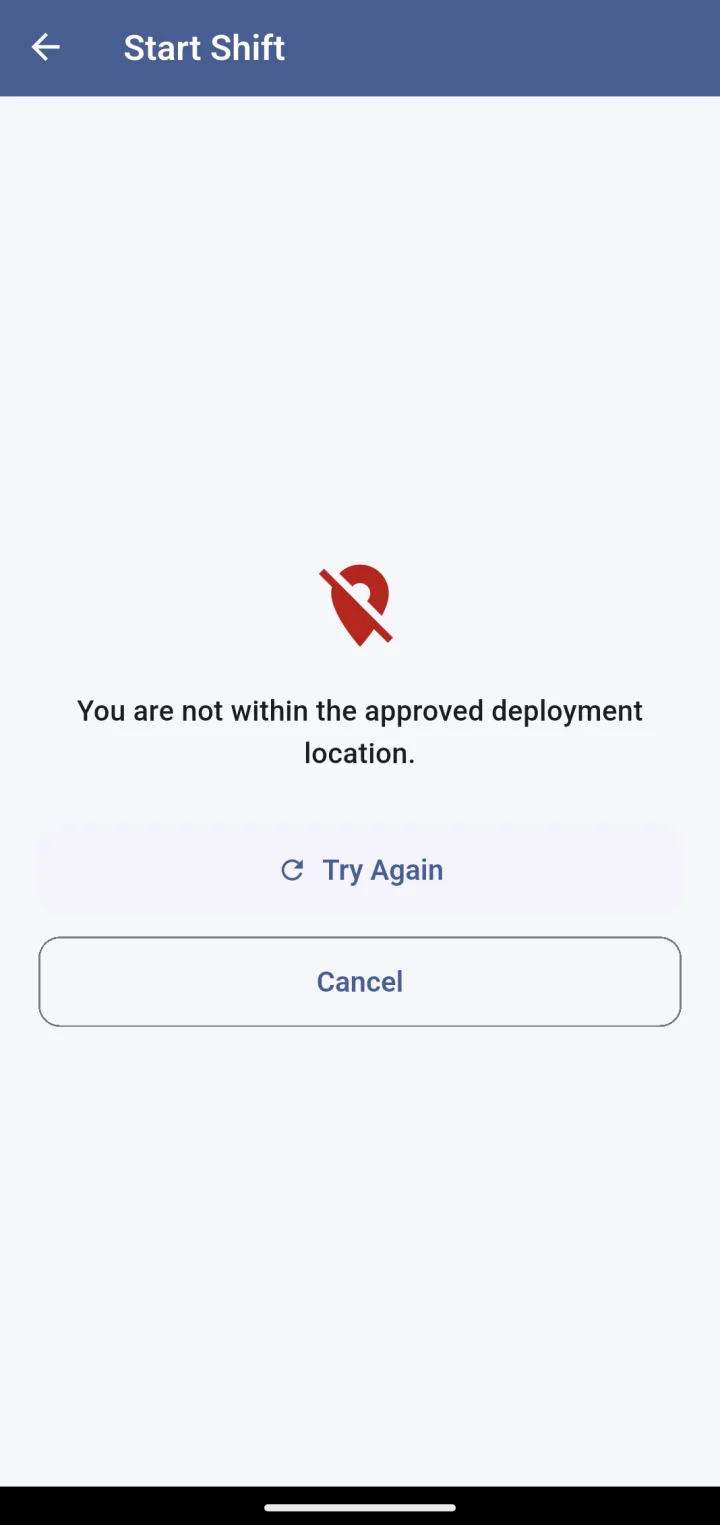
A guard can only start a shift inside the site’s geofence, with a selfie. Outside the fence, the app refuses — and says so.

  • Geofenced shift start and end with selfie capture
  • QR checkpoint scans as proof of patrol coverage
  • Attendance history, leave balance and requests
  • One-press emergency alert that shares live location
Explore Guard app

What it does

Everything a guarding operation has to prove.

Geofenced attendance

Shift start and end only succeed inside the site’s radius. The GPS fix and accuracy are stored with the record.

Selfie & face match

A selfie on every check-in, and — where you switch it on — a one-to-one comparison against the guard’s reference photo.

Live map

Fully staffed, partially staffed and understaffed sites at a glance, plus every manager on patrol, updating in real time.

Manager patrols

Routes are recorded, checkpoints are timed, and each departure needs a site report — with photos if there is an issue.

QR checkpoints

Print a code for each gate, floor or basement. A scan proves presence: right code, inside the fence, with a selfie.

Emergency alerts

Press and hold. The site’s supervisor, colleagues on site, the nearest patrolling manager and the control room are all alerted at once, with live location until it is closed.

Leave & grievances

Guards request leave and raise grievances from the app; managers review in the queue. Balances and responses are visible to both sides.

Client portal

Each customer gets a read-only login to their own sites: staffing, attendance and reports. Fewer “was the guard there?” calls.

How a verified shift works

Four checks. One record. No arguments at invoice time.

Each step has to pass before the next runs, and every step is written to the same shift record your clients can see.

  1. The guard is inside the fence

    The app takes a GPS fix and checks it against the site’s radius. Outside it, Start Shift is refused with a plain message — and mocked locations are flagged.

  2. A selfie is taken

    Front camera, live, on the device. It is stored against the shift so anyone auditing later can see who checked in.

  3. The face is matched

    Optionally, the selfie is compared one-to-one with the guard’s reference photo. We keep the score and the result — never a biometric template.

  4. The record is written

    Timestamp, coordinates, accuracy, selfie and match result land on the attendance record — and on the live map, the attendance report and the client portal.

Guard app refusing Start Shift: You are not within the approved deployment location
shift GRD-0012 · Meridian Tech Park · Main Gate
check_in     06:02:14 IST
gps          12.93521, 77.69302  ±6 m
geofence     inside · radius 75 m
selfie       stored · ✓
face_match   0.97 · ✓
device       real location · not mocked

Why operators switch

Manned guarding leaks money in three places. This plugs them.

Leak 01

Ghost shifts and buddy-punching

Paying for a guard who was not there, or whose friend signed the register for him.

Selfie plus geofence on every check-in. There is no register to sign for someone else.

Leak 02

Billing disputes

Clients holding back payment because they doubt the guard was present.

GPS, selfie and timestamp per shift, visible to the client in their own portal. Faster payment, fewer credit notes.

Leak 03

Unverifiable supervision

Managers reporting site visits that nobody can confirm — and back-office staff reconciling attendance by hand.

Recorded patrol routes and checkpoint reports. Attendance that reconciles itself.

Frequently asked questions

Common questions from security companies

What is SecureSiteAI used for?

Running a manned-guarding operation: verified attendance for guards, patrol tracking for managers and supervisors, emergency alerts, leave and grievance handling, and a control room dashboard with a live map. Each of your clients can also be given a read-only portal to their own sites.

How does it stop proxy attendance?

A shift can only be started inside the site’s geofence, and it requires a live selfie. Where you enable it, the selfie is compared one-to-one with the guard’s reference photo. Mocked GPS locations are detected and flagged on the record.

Does it work on cheap Android phones?

Yes. The guard app is built for entry-level Android handsets and mobile data. Location is only collected during a check-in, check-out, scan or an active patrol — not in the background all day — so battery use stays low.

Where is our data stored?

In India. Your company is the data controller; we operate the platform as your processor. There are no advertising SDKs or third-party trackers in the apps.

Can our clients see their own sites?

Yes. Each client organisation gets its own read-only login to the Command Center, scoped to their sites only. They see staffing, attendance and reports — never another client’s data.

Is it suitable for a small agency?

It runs equally well for a single site with ten guards or for hundreds of sites across cities. Features such as face verification, QR checkpoints and emergency alerts are switched on per organisation, so you only pay for what you use.

How do we get started?

Book a demo. We set up your organisation, import your sites and staff, and hand you the app links. Guards install the Android app from the Play Store and sign in with an employee ID.

Next step

See it running on your sites.

A 30-minute walkthrough on a live account: your sites on the map, a guard checking in, a manager on patrol. No slides.