Product · Web

Command Center

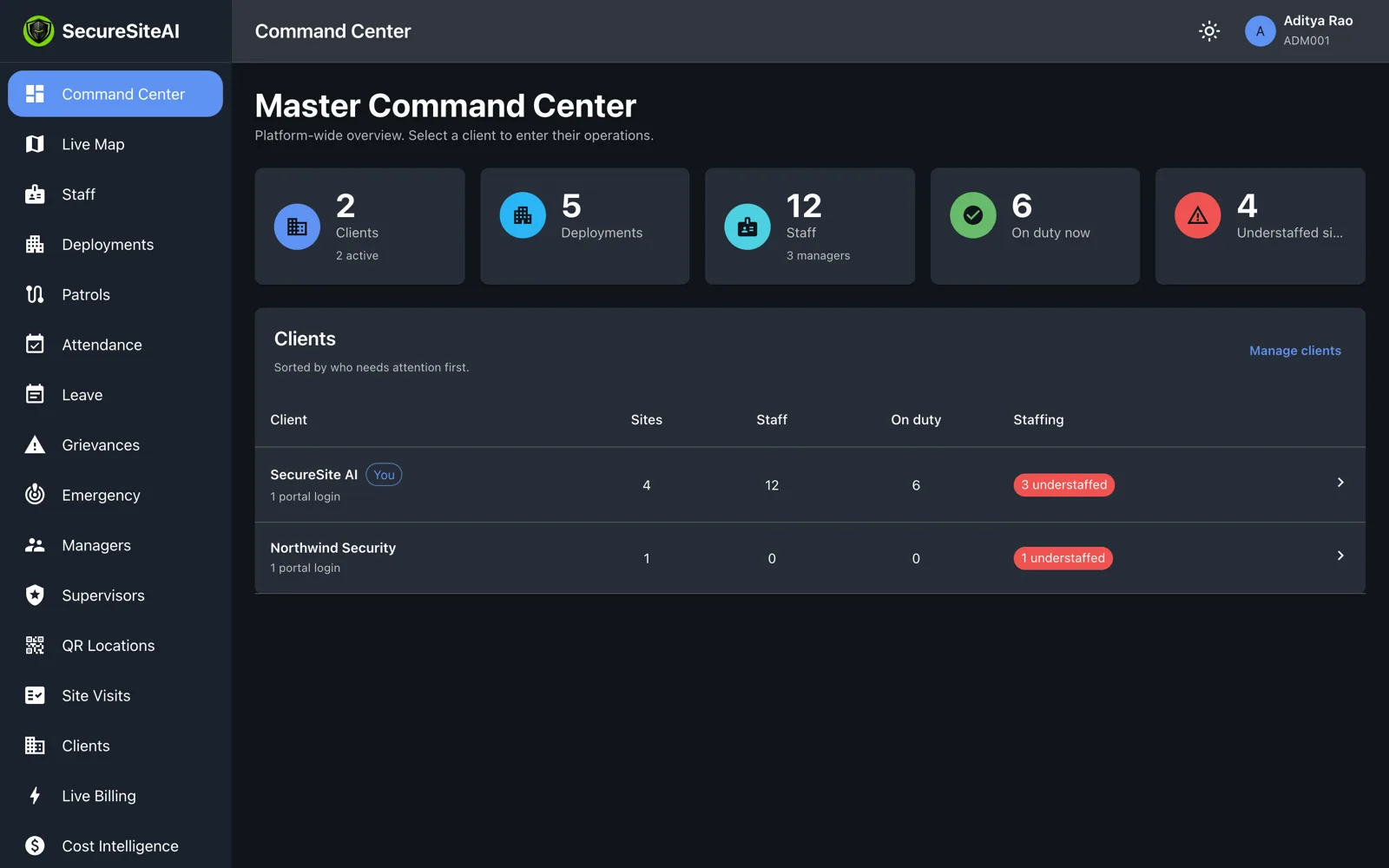
One screen for the whole operation: which sites are short, who is on post, where every manager is — and the evidence behind each of those answers.

Master Command Center: 2 clients, 5 deployments, 12 staff, on-duty count, understaffed sites and a client table sorted by who needs attention

Screen by screen

Built for a control room, not a spreadsheet.

Every screen below is a real capture from the product, on demo data.

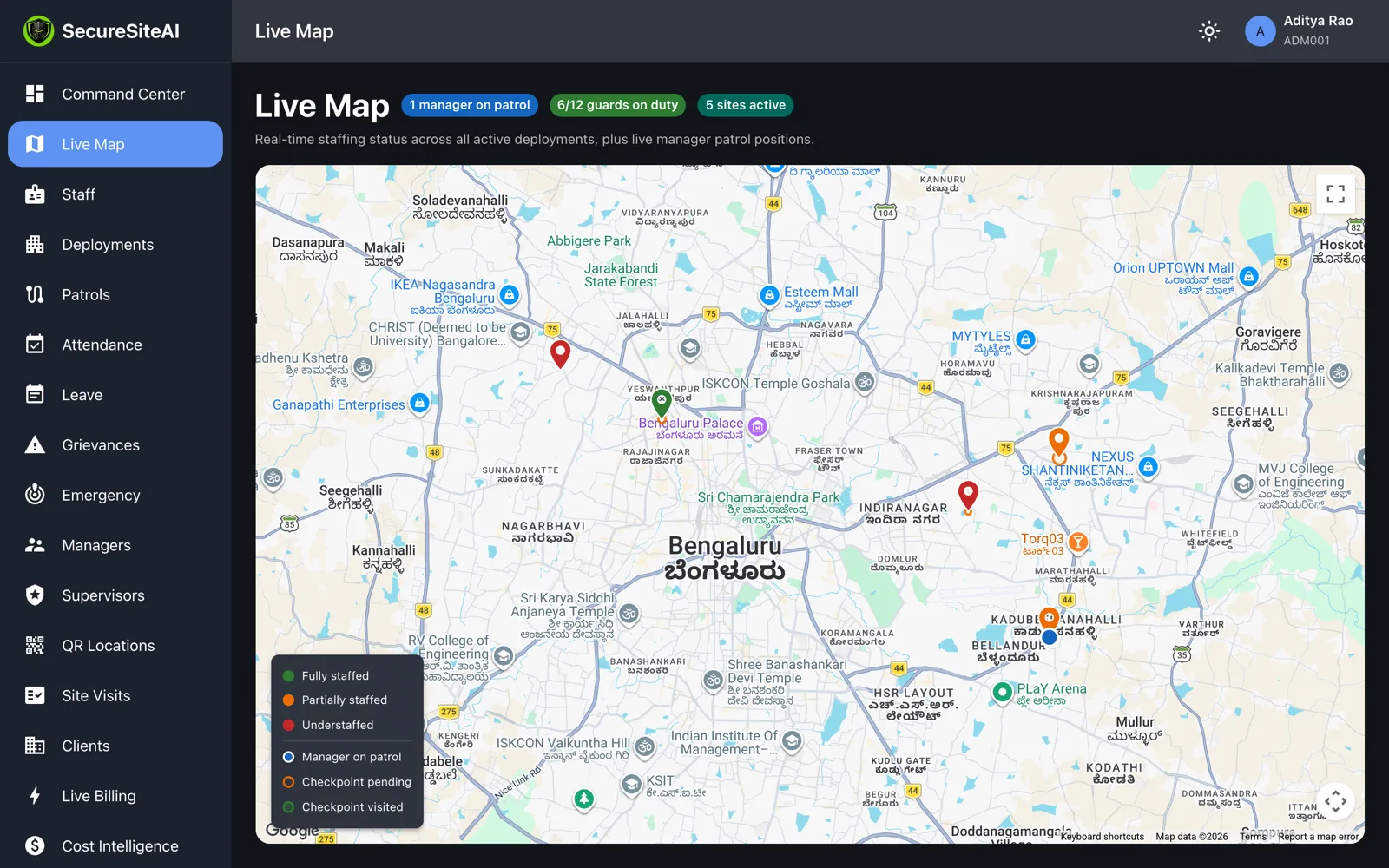
Live map of Bengaluru with staffed, partially staffed and understaffed site markers, a manager on patrol and checkpoint markers

Live map

Every active site as a marker coloured by staffing — fully staffed, partially staffed, understaffed — with managers on patrol and their pending and visited checkpoints. It updates over a live connection, not on refresh.

  • Staffing status per site against its required headcount
  • Manager positions during an active patrol
  • Filter to a single client for a customer call
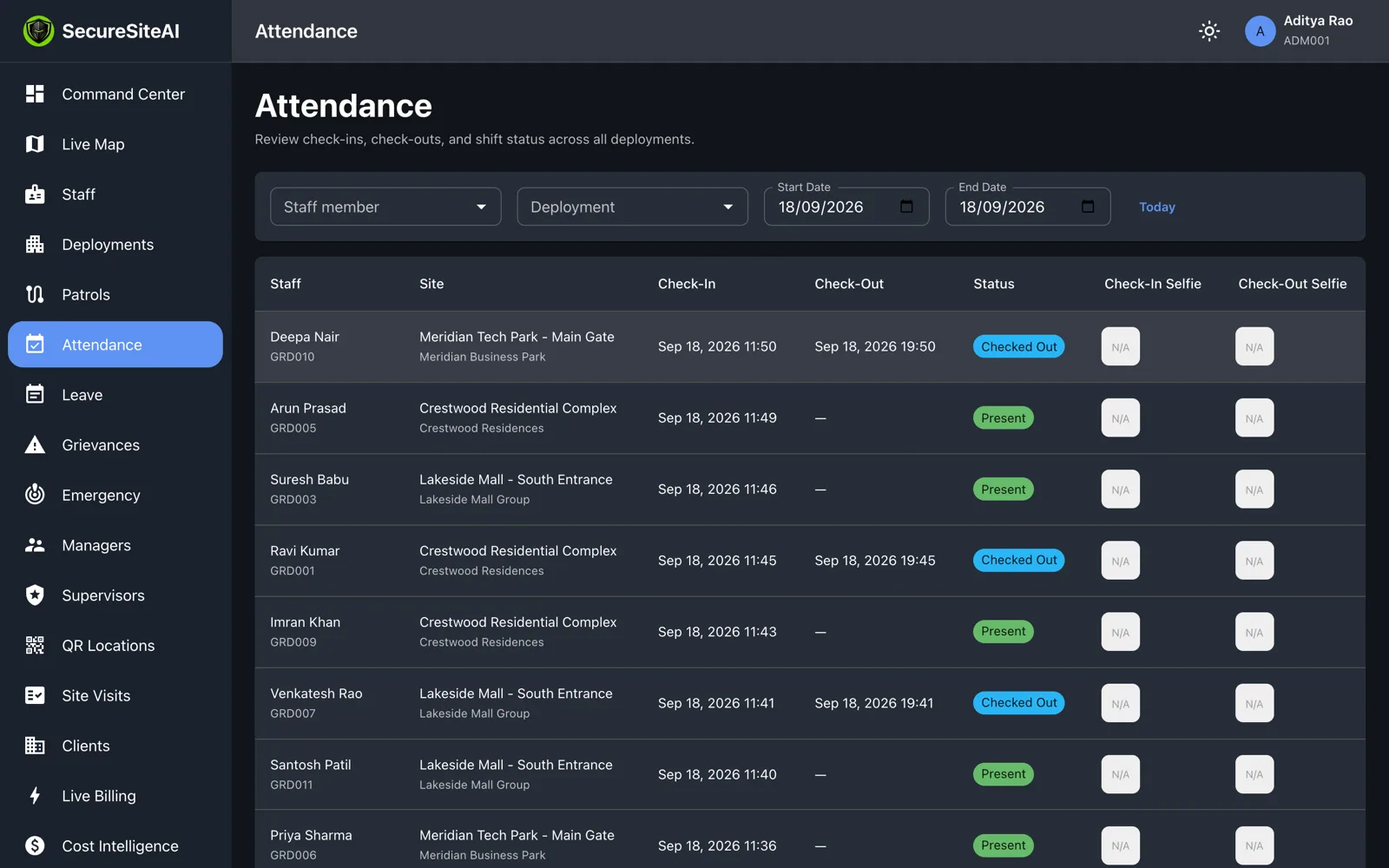
Attendance page with a shift record open showing check-in time, location and selfie

Attendance you can defend

Each shift row opens to its evidence: check-in and check-out times, the GPS fix and its accuracy, the selfie, and whether the device reported a mocked location.

  • Present, late, checked-out and absent at a glance
  • Filter by site, client, guard and date
  • Face-match score and result when verification is on
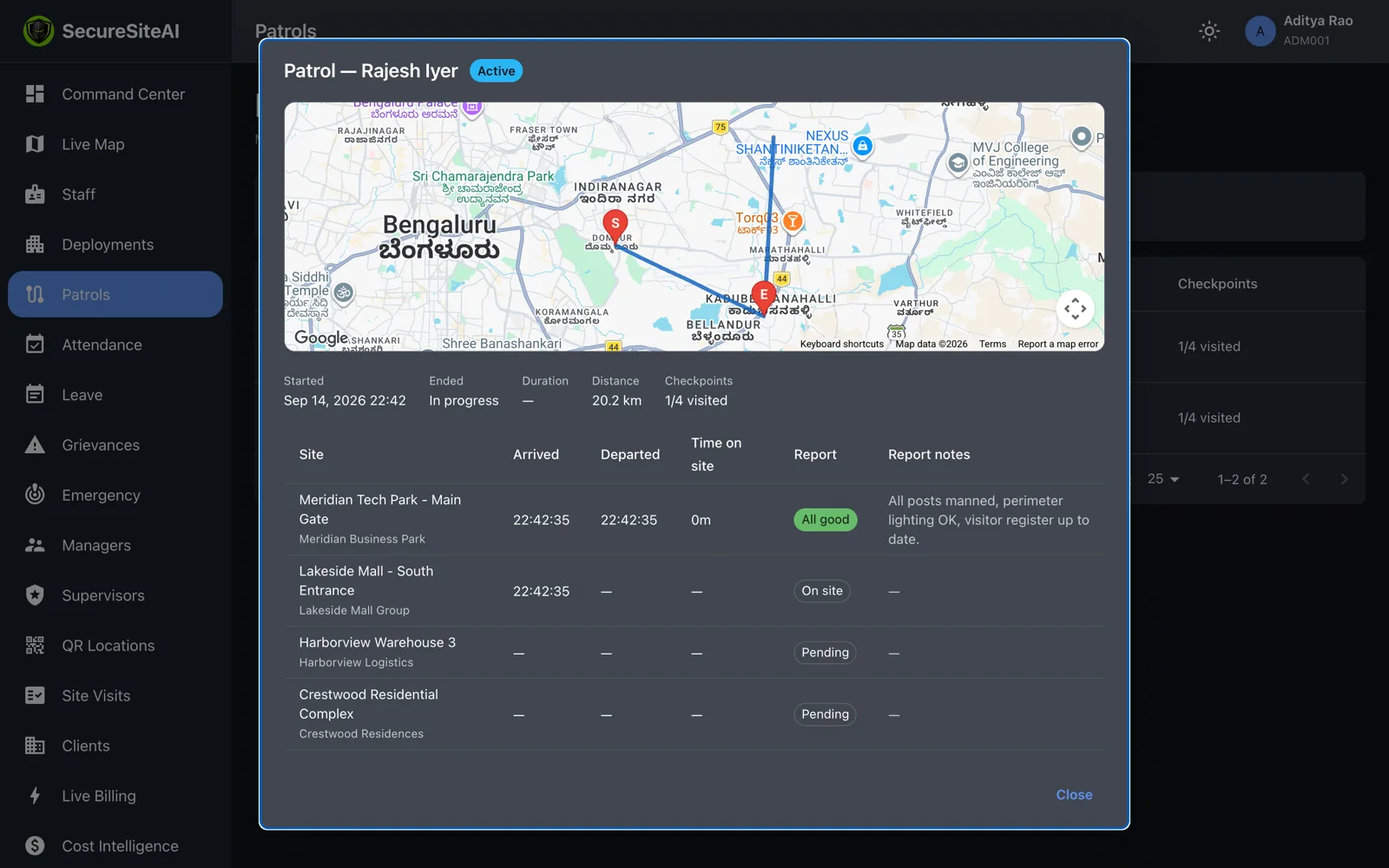
Patrol detail: route drawn on a map from start to current position, checkpoint table with arrival, departure, time on site and report

Patrols, drawn on the map

A manager’s patrol is a route, not a claim. See where they started, the path driven, each checkpoint’s arrival and departure, time on site, and the report they filed before leaving.

  • Distance and duration per patrol
  • “All good” or “Issue” with notes and photos per site
  • Filter by manager and status
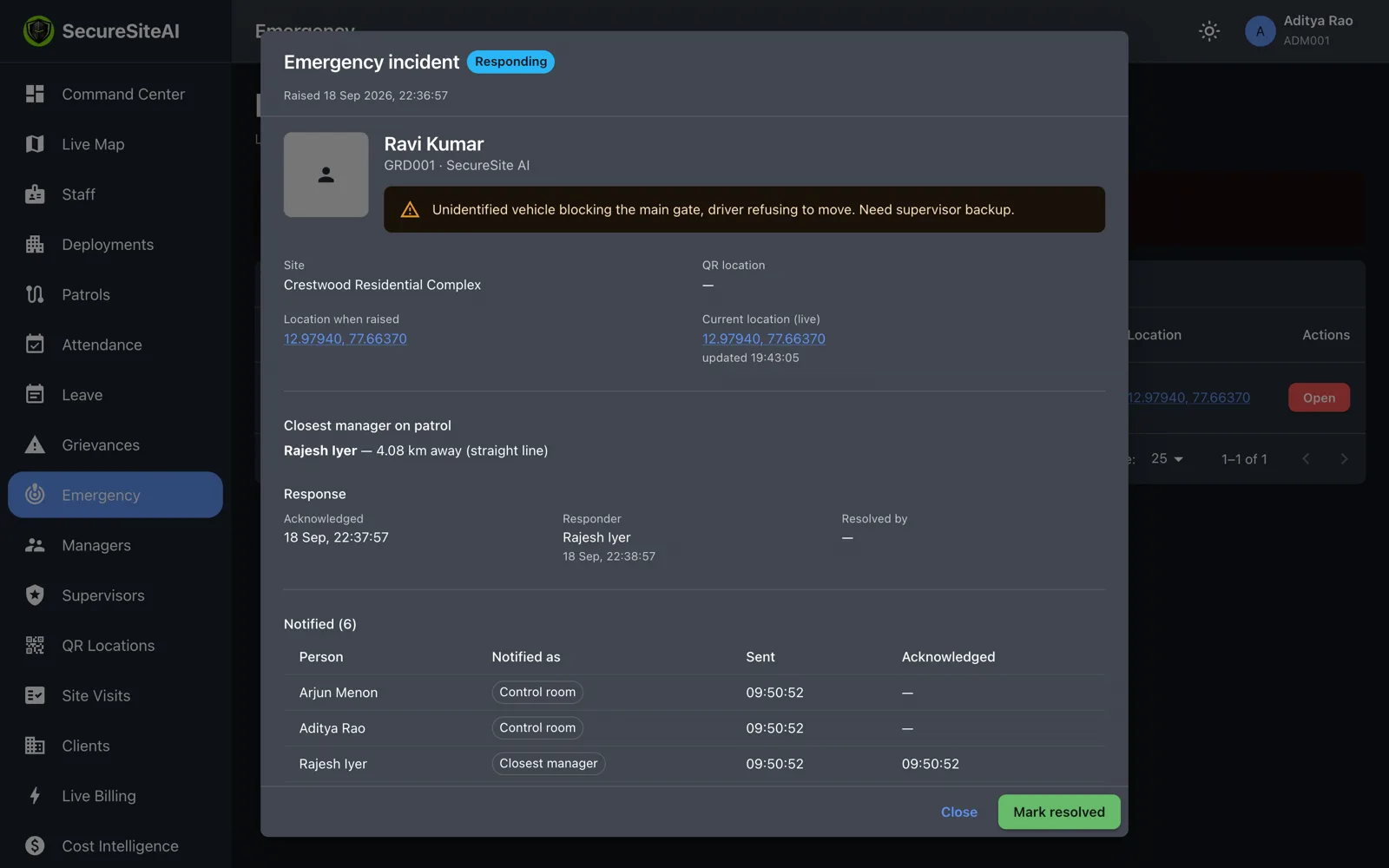
Emergency incident open: who raised it, the site, live location, who was notified and who is responding

Emergency incidents

When a guard presses the alert, the incident appears here with their live position, the closest manager, who has been notified and who is responding. Resolve it from the control room when it is over.

  • Open incidents pinned at the top of the page
  • Full history of every incident and its resolution note
  • Location keeps updating until the incident is closed
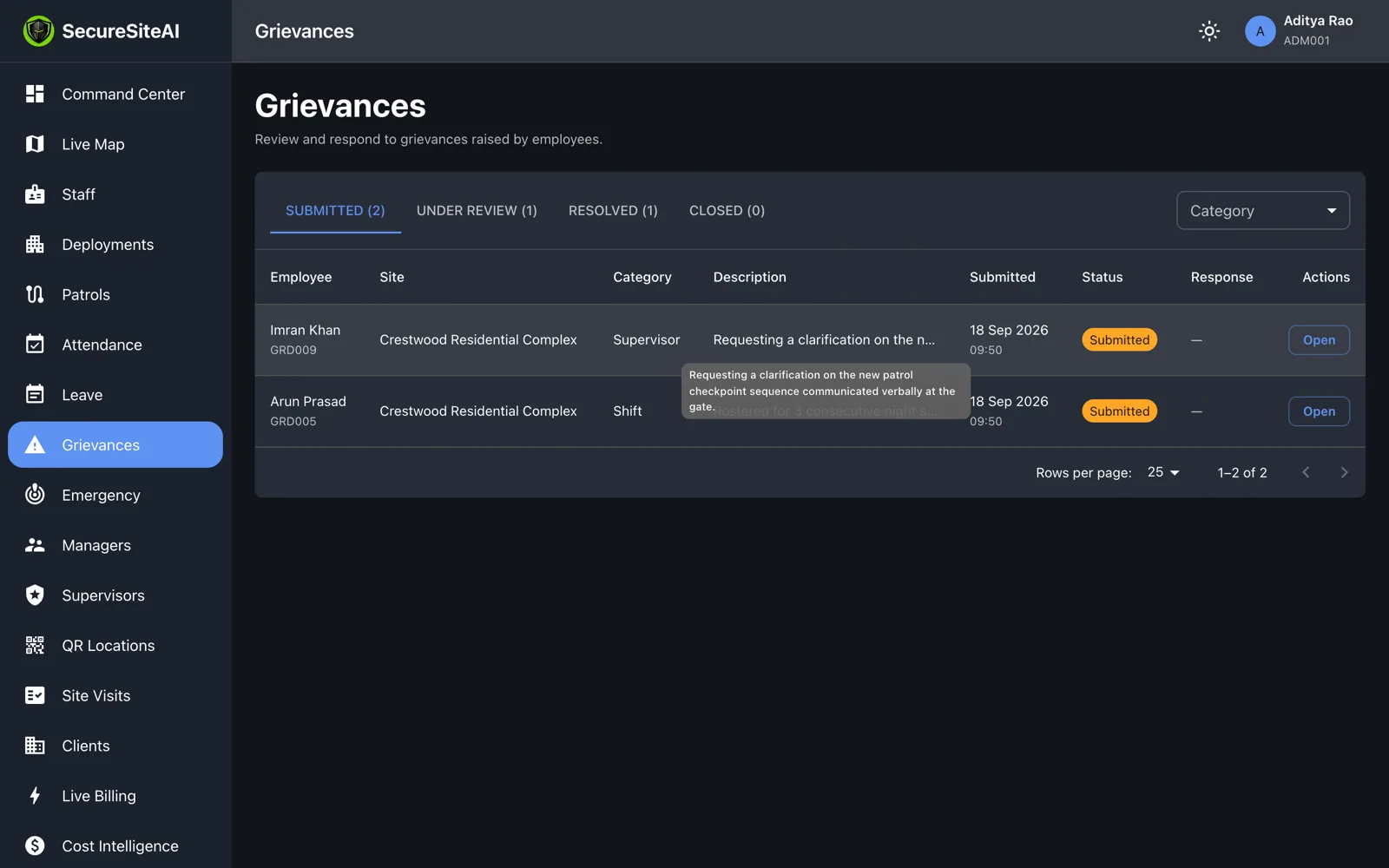
Grievance queue with a grievance open, category, description and the management response

Leave and grievances

Guards raise leave requests and grievances from the app. They land in a queue with a category and a status, and the response you write is shown back to the guard on their phone.

  • Leave balances per guard, approve or reject with a comment
  • Grievance categories: uniform, payroll, shift, attendance, supervisor
  • Submitted → under review → resolved, with timestamps
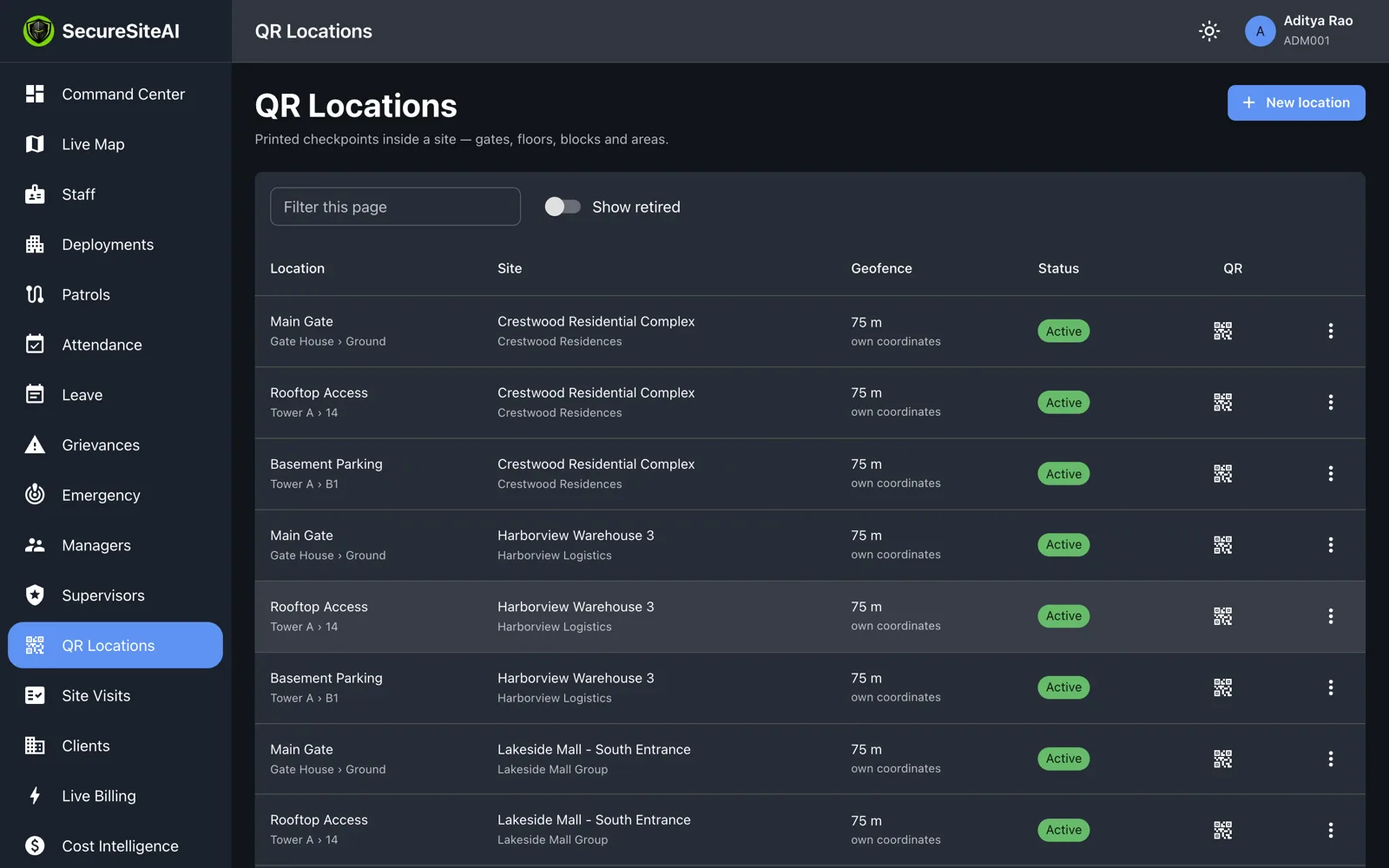
QR checkpoint locations listed per site, with building and floor

QR checkpoints and site visits

Create a checkpoint for a gate, a basement or a rooftop, print its code, and stick it on the wall. Scans from the guard app arrive with location and selfie. Managers’ site visits — notes and up to five photos — are filed alongside.

  • Print-ready QR codes with a regenerate option
  • Scan history per checkpoint and per guard
  • Site visit reports with photos, per site and per manager
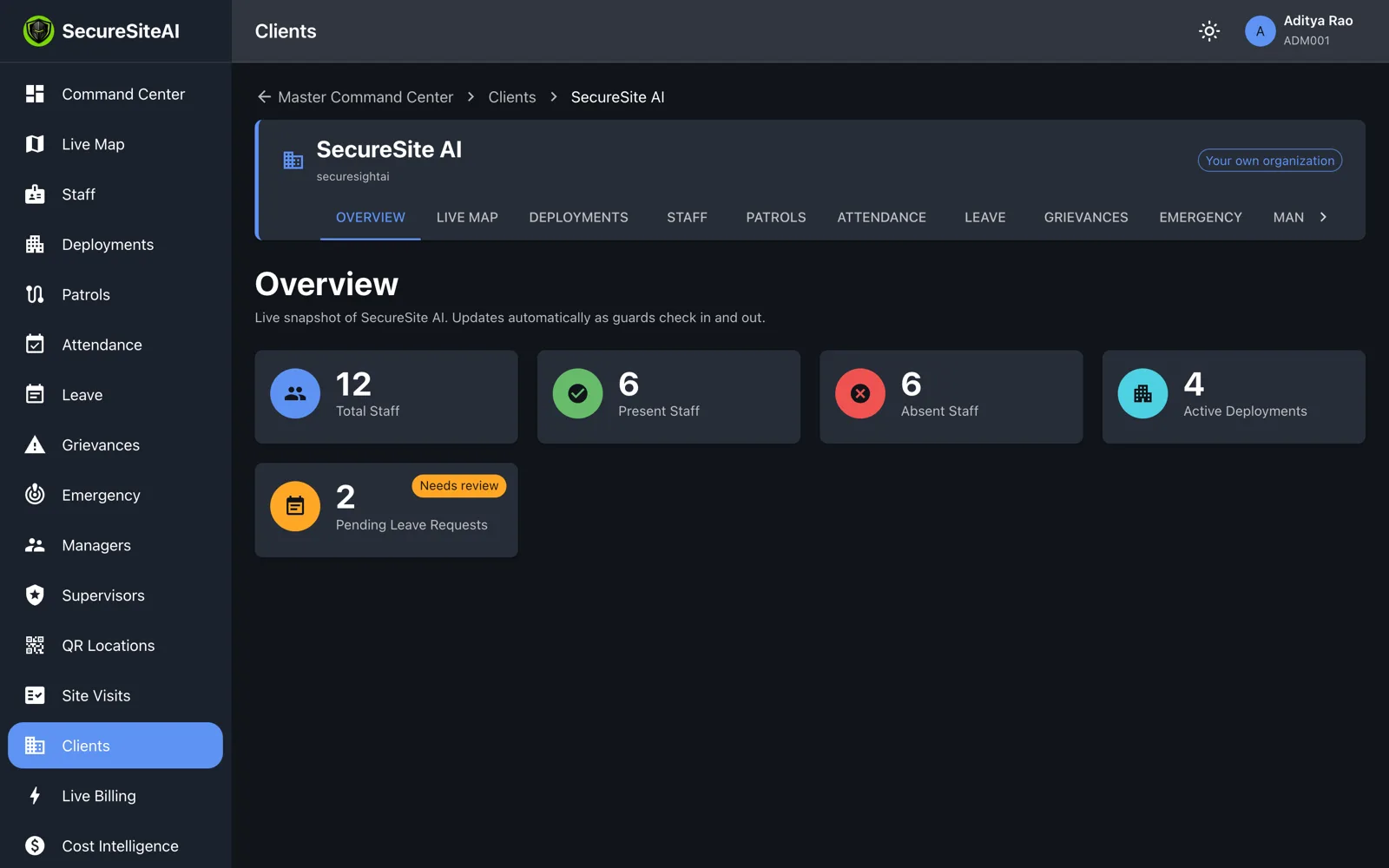
Client overview page scoped to a single client organisation

A portal for each of your clients

Give each customer a read-only login scoped to their own sites. They see their staffing, attendance and reports — and nothing about anyone else. Fewer calls asking whether the guard was there.

  • Per-client logins you issue and can revoke
  • Strict tenant isolation: one client never sees another
  • Feature switches per organisation
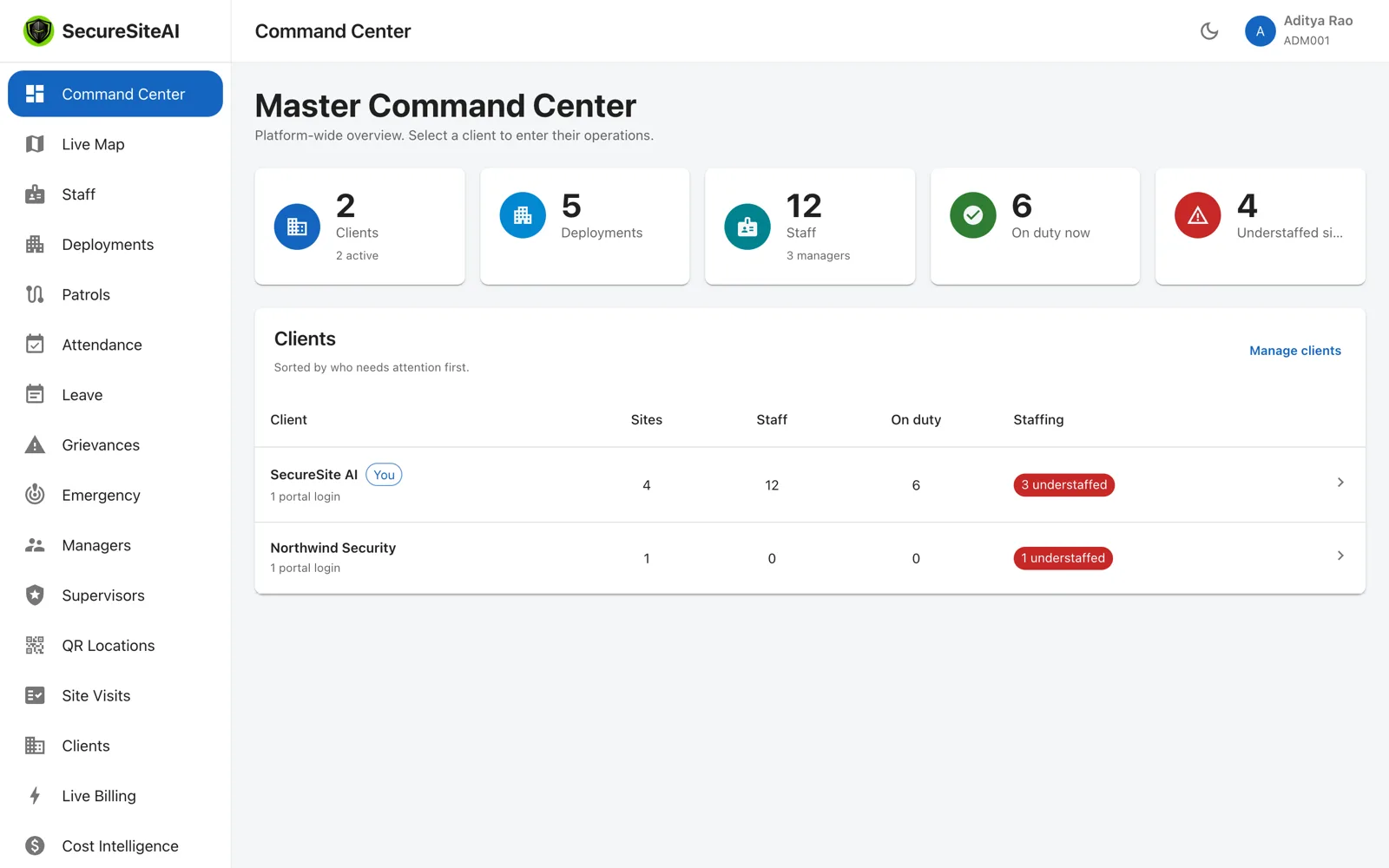
The Command Center in light mode

Light or dark, your choice

A control room that runs all night gets a dark theme; a daytime back office gets a light one. Each user picks their own, and it sticks.

  • Works in any modern browser, no install
  • Roles: super admin, manager, supervisor, client admin
  • Live updates over a persistent connection

Next step

See it running on your sites.

A 30-minute walkthrough on a live account: your sites on the map, a guard checking in, a manager on patrol. No slides.