Product · Android

Guard app

Two buttons that matter — Start Shift and Emergency — and everything else a guard needs on the same screen. Sign in with an employee ID; no email, no setup.

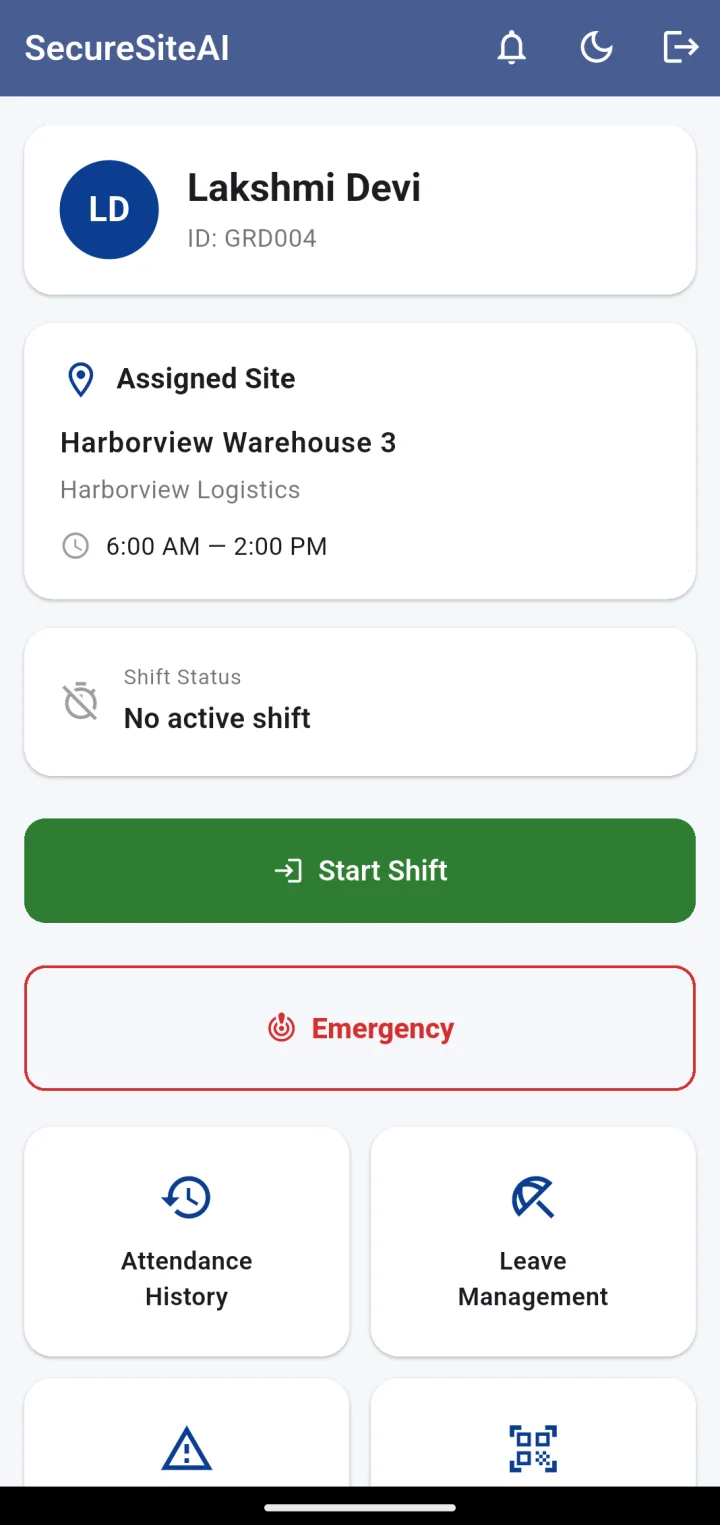
Guard home before a shift: assigned site and hours, No active shift, Start Shift button
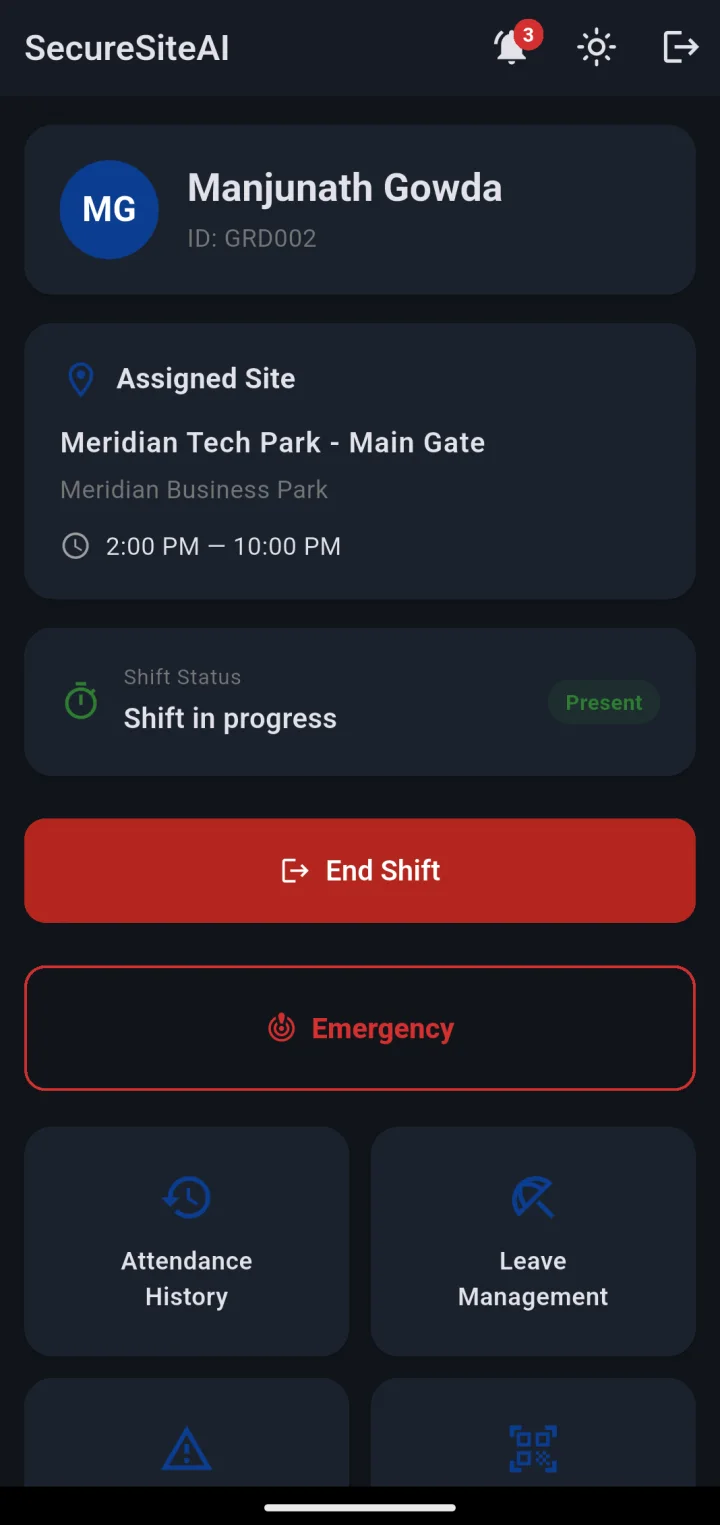
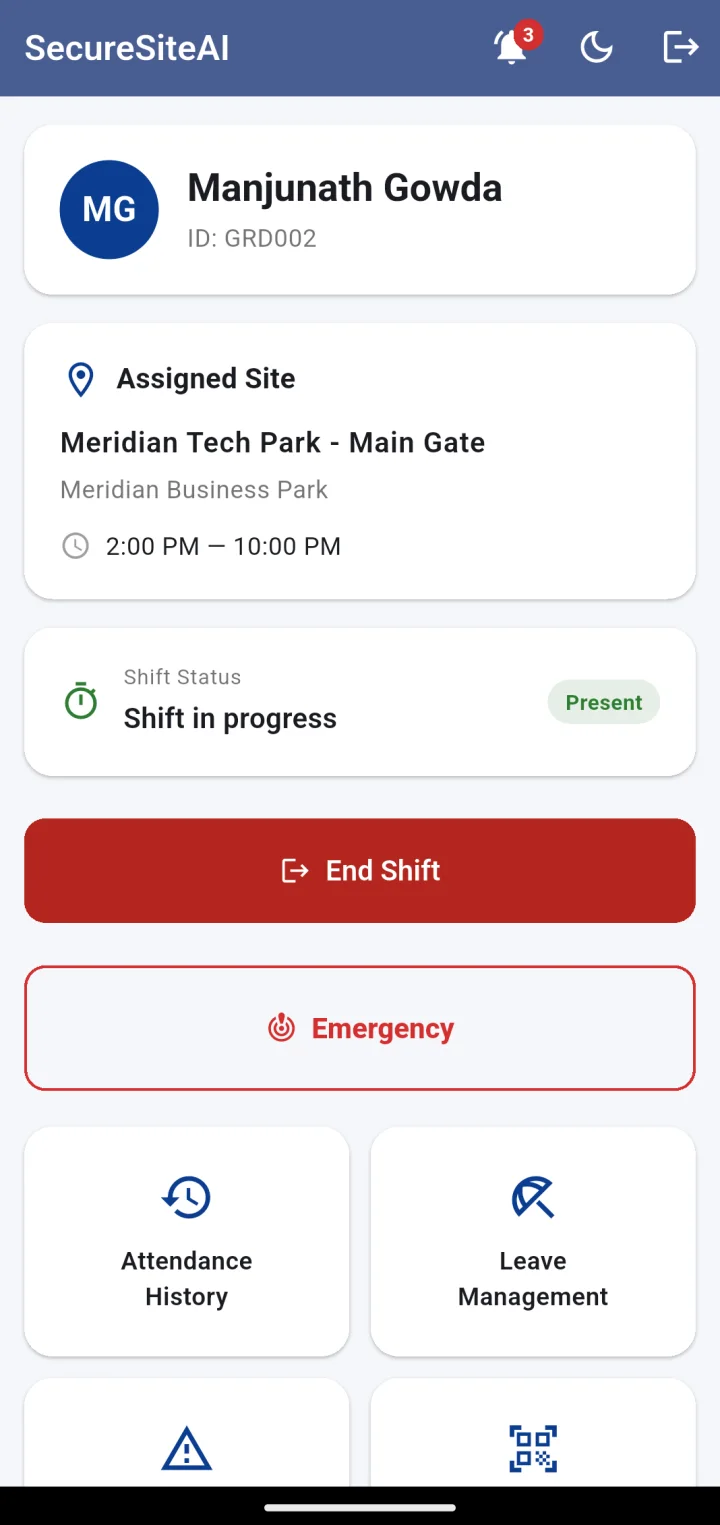
Guard home during a shift: Shift in progress, Present, End Shift, Emergency, and shortcuts to attendance, leave, grievances and checkpoint scan
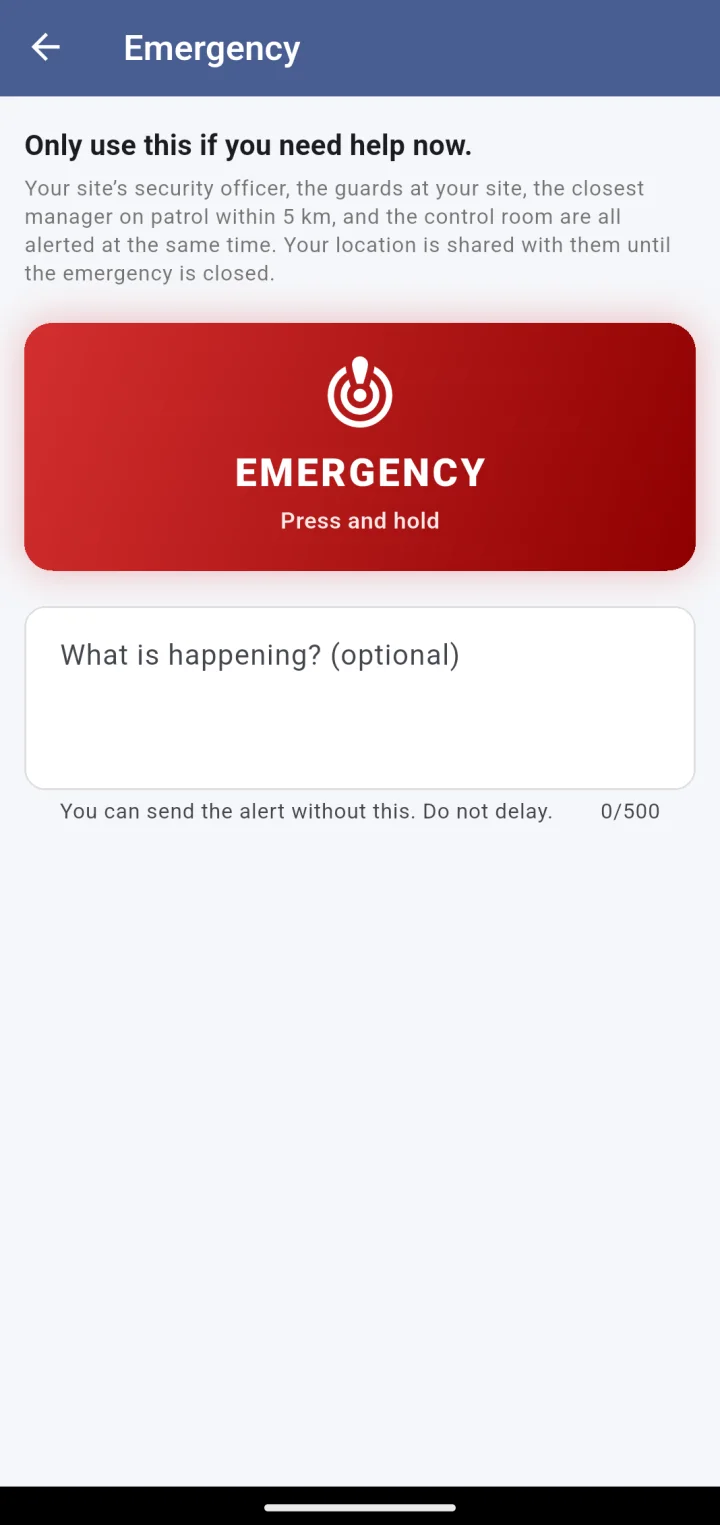
Emergency screen: press and hold to send an alert; who is alerted and that location is shared

Screen by screen

Simple for the guard. Strict for the record.

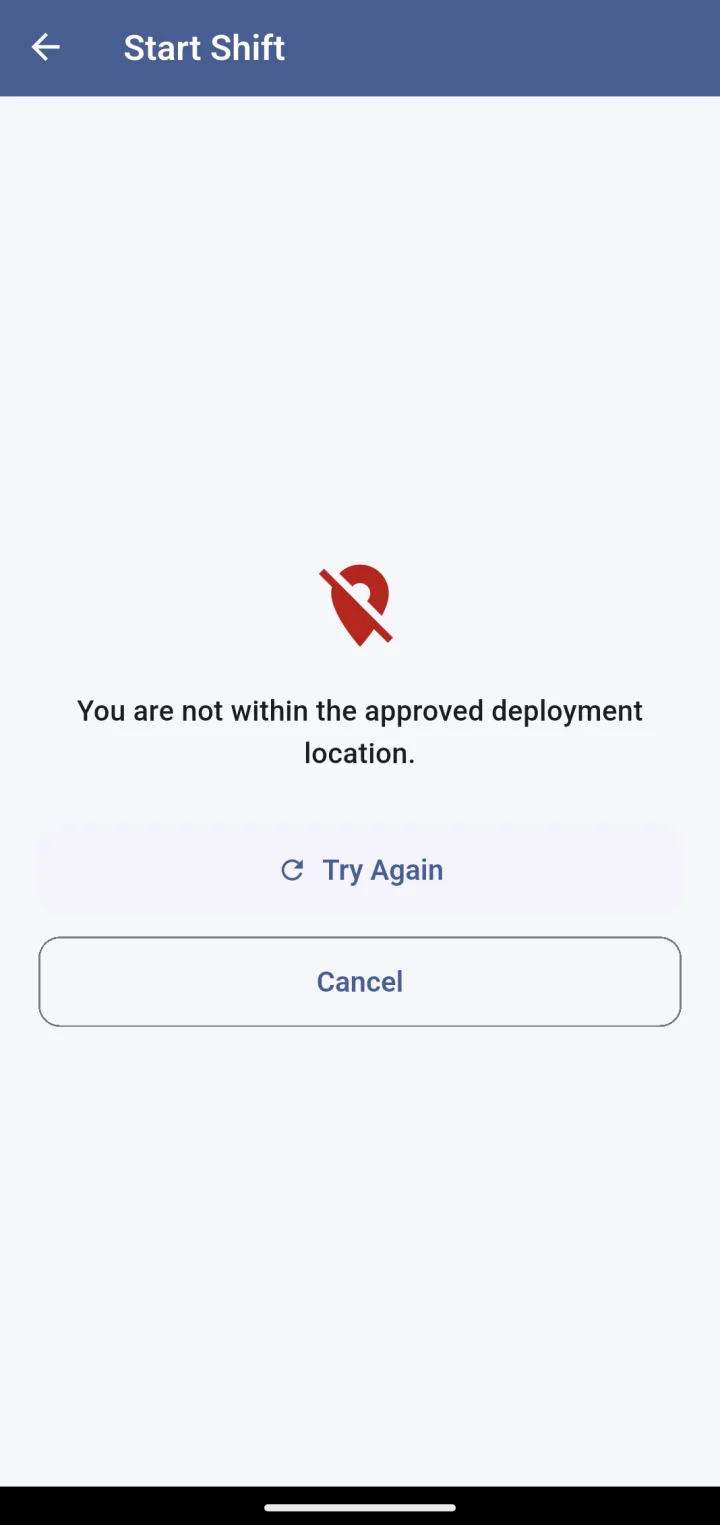
Start Shift refused: You are not within the approved deployment location, with Try Again and Cancel
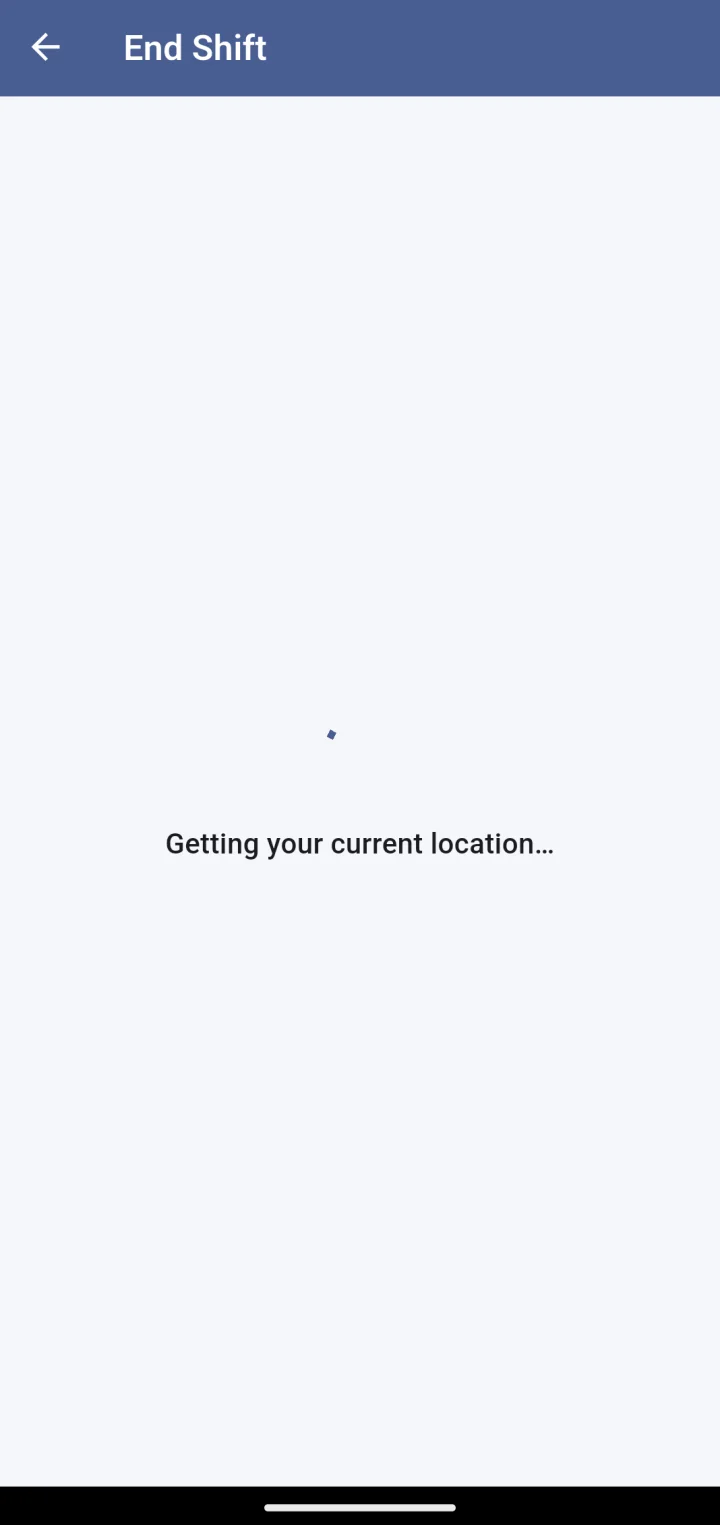
End Shift: verifying you are at the approved site

Inside the fence, or not at all

Start Shift takes a GPS fix and checks it against the site’s radius before the camera even opens. Outside the fence the app says so, plainly, and offers to try again. The same check runs at End Shift.

  • Radius set per site, from 10 m to 5 km
  • GPS accuracy stored with every check-in
  • Mocked-location apps are detected and flagged
Guard home with shift in progress
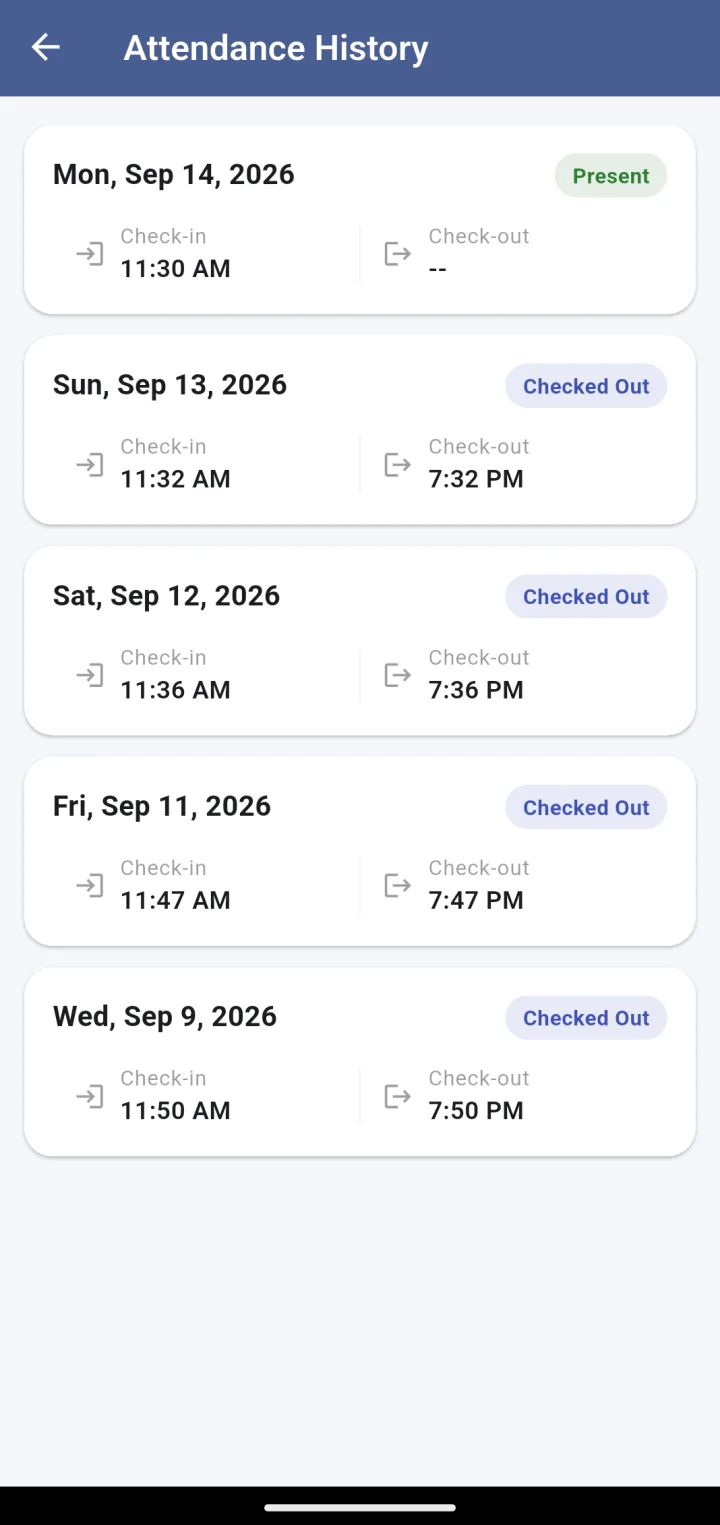
Attendance history: each day with status, check-in and check-out times

Selfie, then you are on post

Once inside the fence, the front camera opens for a selfie. That photo is stored on the shift, and — if your company enables it — compared one-to-one with the guard’s reference photo. The guard sees “Shift in progress · Present” and their own attendance history, so there are no surprises on payday.

  • Live selfie capture; no gallery uploads
  • Attendance history with check-in and check-out per day
  • Late and absent statuses match what the office sees
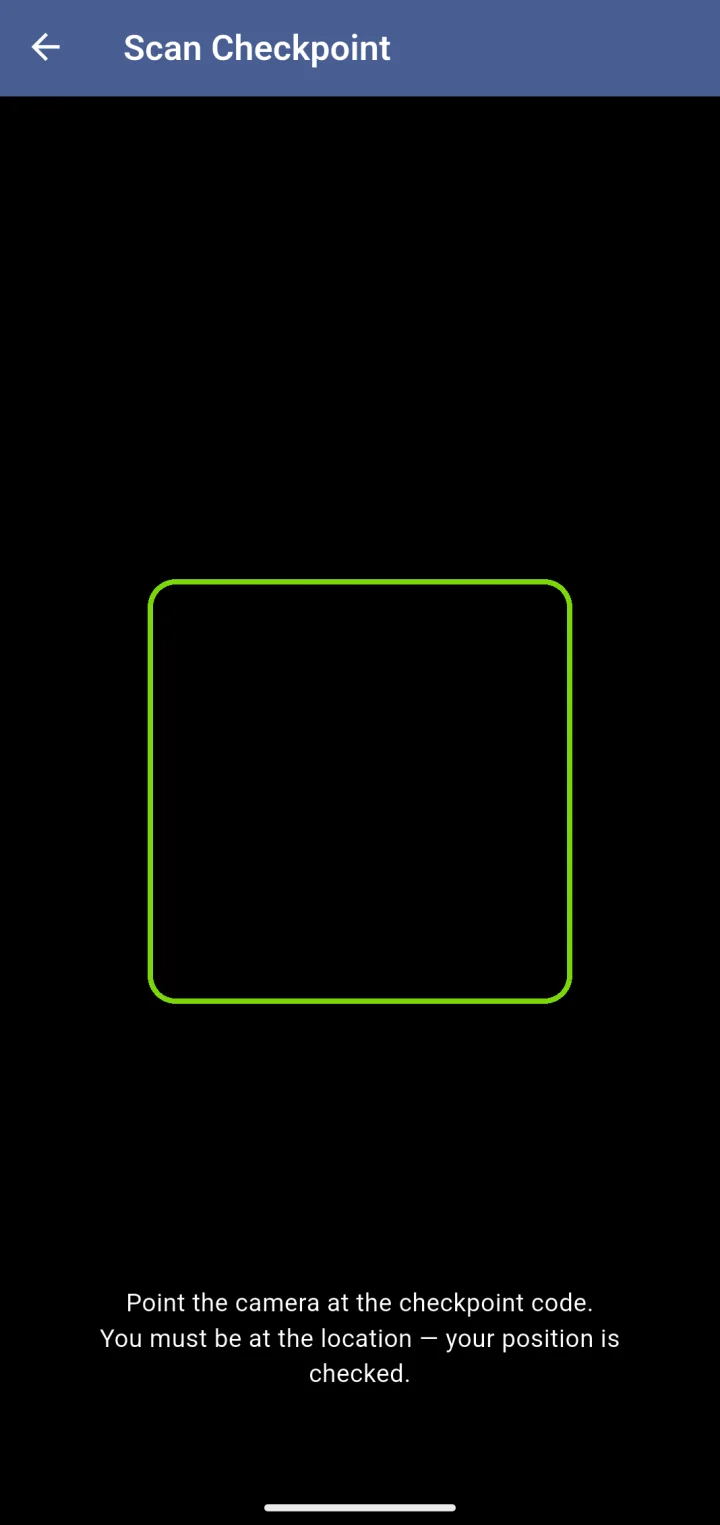
Scan Checkpoint: point the camera at the checkpoint code; your position is checked
Emergency: press and hold to alert the supervisor, site colleagues, nearest manager and control room

Checkpoints and the red button

Scanning a checkpoint code proves the guard was at that gate, basement or rooftop: right code, inside the fence, with a selfie. The Emergency button is press-and-hold so it cannot be hit by accident — and when it is used, the site supervisor, colleagues on site, the nearest manager on patrol and the control room are all alerted at the same time.

  • QR scans with location and selfie
  • Optional note with the alert — never required
  • Live location shared only until the incident is closed
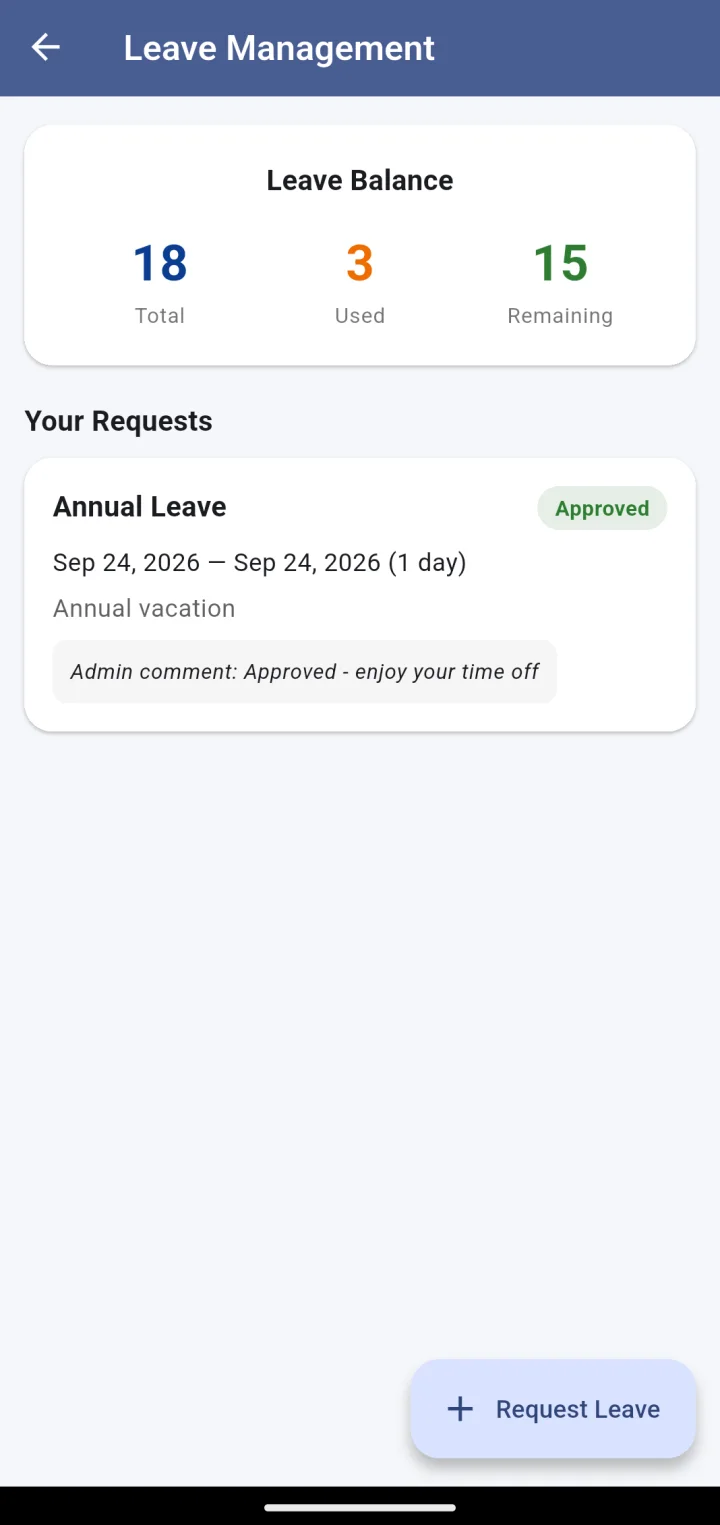
Leave Management: balance of total, used and remaining days, and past requests with their status
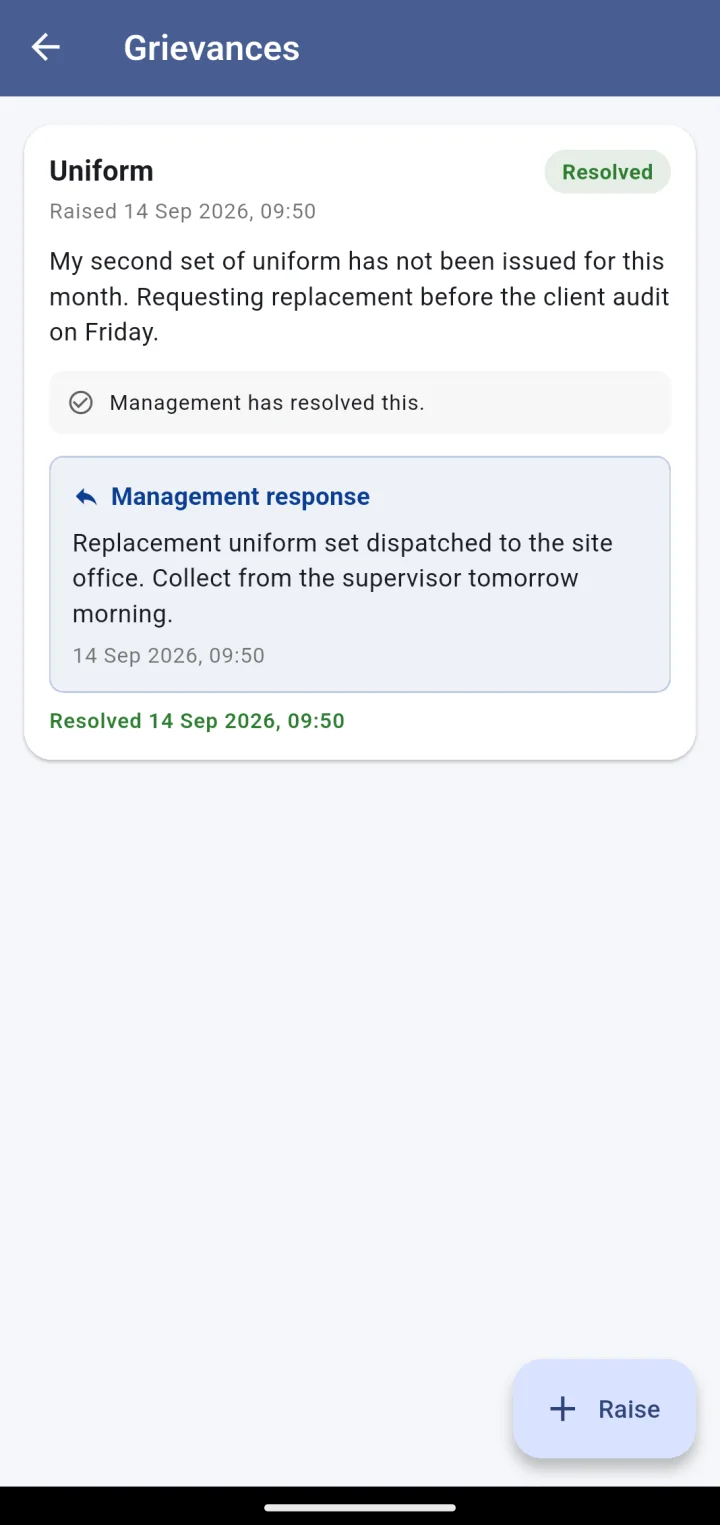
Grievances: a uniform grievance marked resolved with the management response

Leave and grievances, without the queue at the office

Guards see their leave balance and request days off from the app. Grievances — uniform, payroll, shift, attendance, supervisor — are raised in writing and answered in writing, and the guard sees the response.

  • Leave balance: total, used, remaining
  • Request status and the admin’s comment
  • Grievance history with every response, timestamped
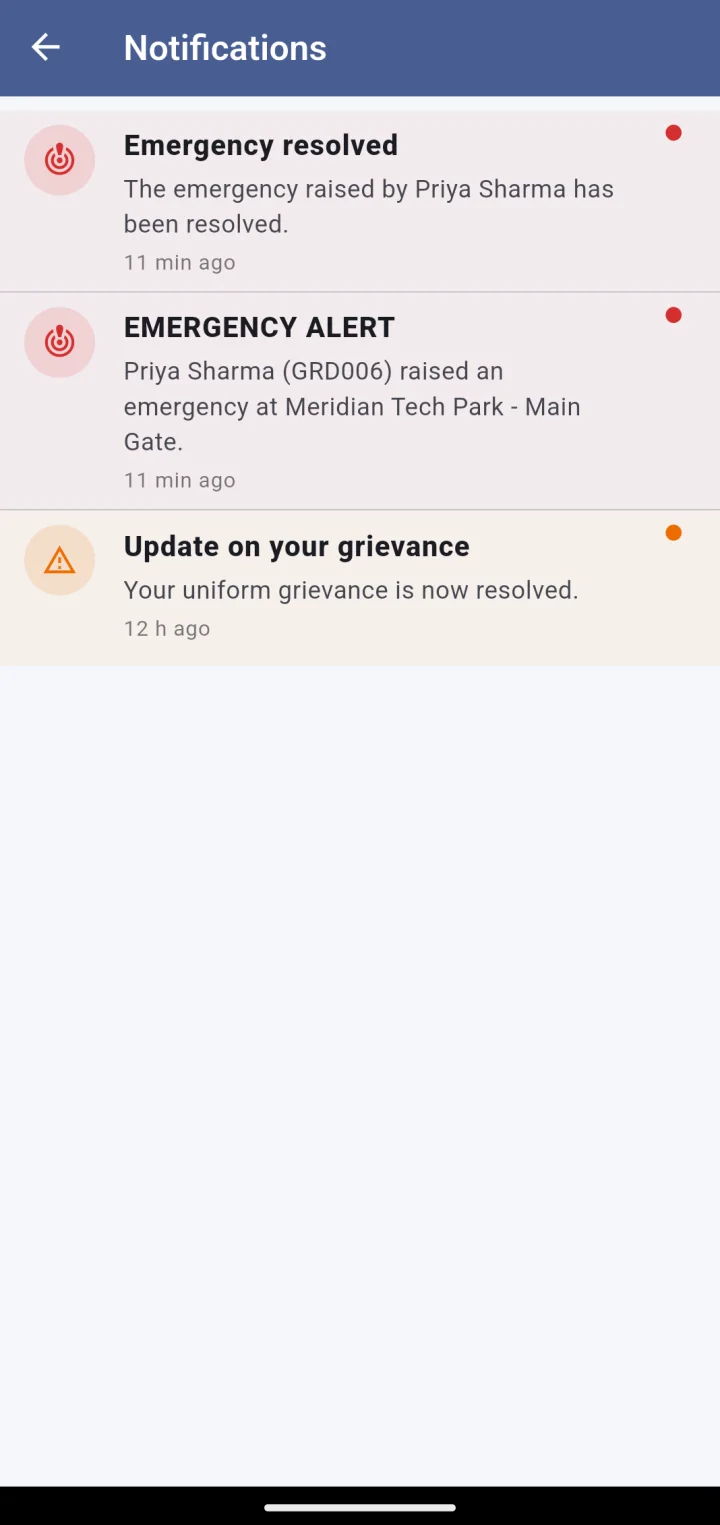
Notifications: emergency alert, emergency resolved, grievance update
Guard home in dark mode

Built for the phones guards actually carry

Small download, works on mobile data, dark theme for night posts. Location is collected only at check-in, check-out, a scan or during an emergency — never in the background all day — so the battery lasts the shift.

  • Push notifications for alerts and responses
  • Screen capture blocked inside the app
  • No advertising SDKs, no third-party trackers

Next step

See it running on your sites.

A 30-minute walkthrough on a live account: your sites on the map, a guard checking in, a manager on patrol. No slides.