Product · Android

Supervisor app

For the person responsible for one site. The home screen answers the only question that matters at 6 AM — how many of my people are on post — and puts a Call button beside everyone who is not.

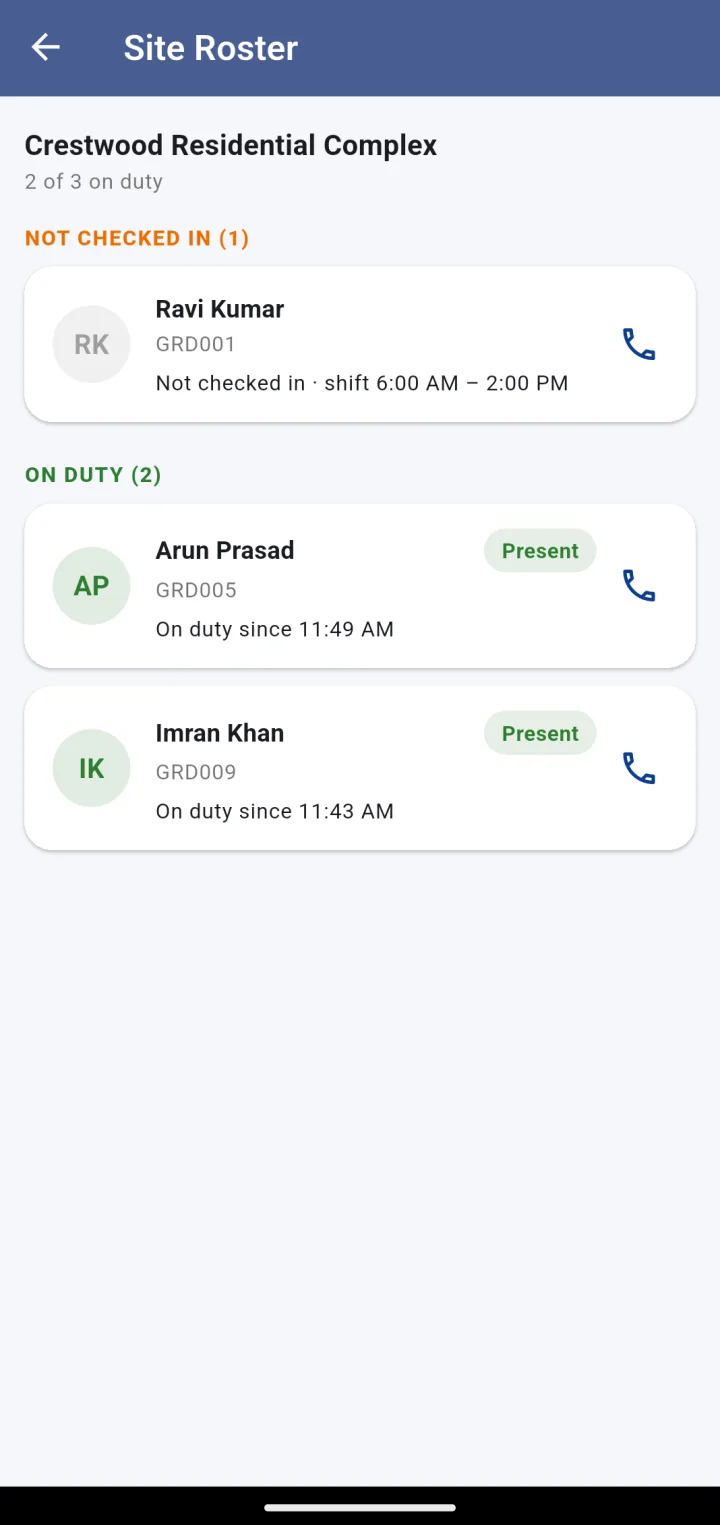
Site roster: 2 of 3 on duty, one guard not checked in with a Call button, on-duty guards with their check-in time
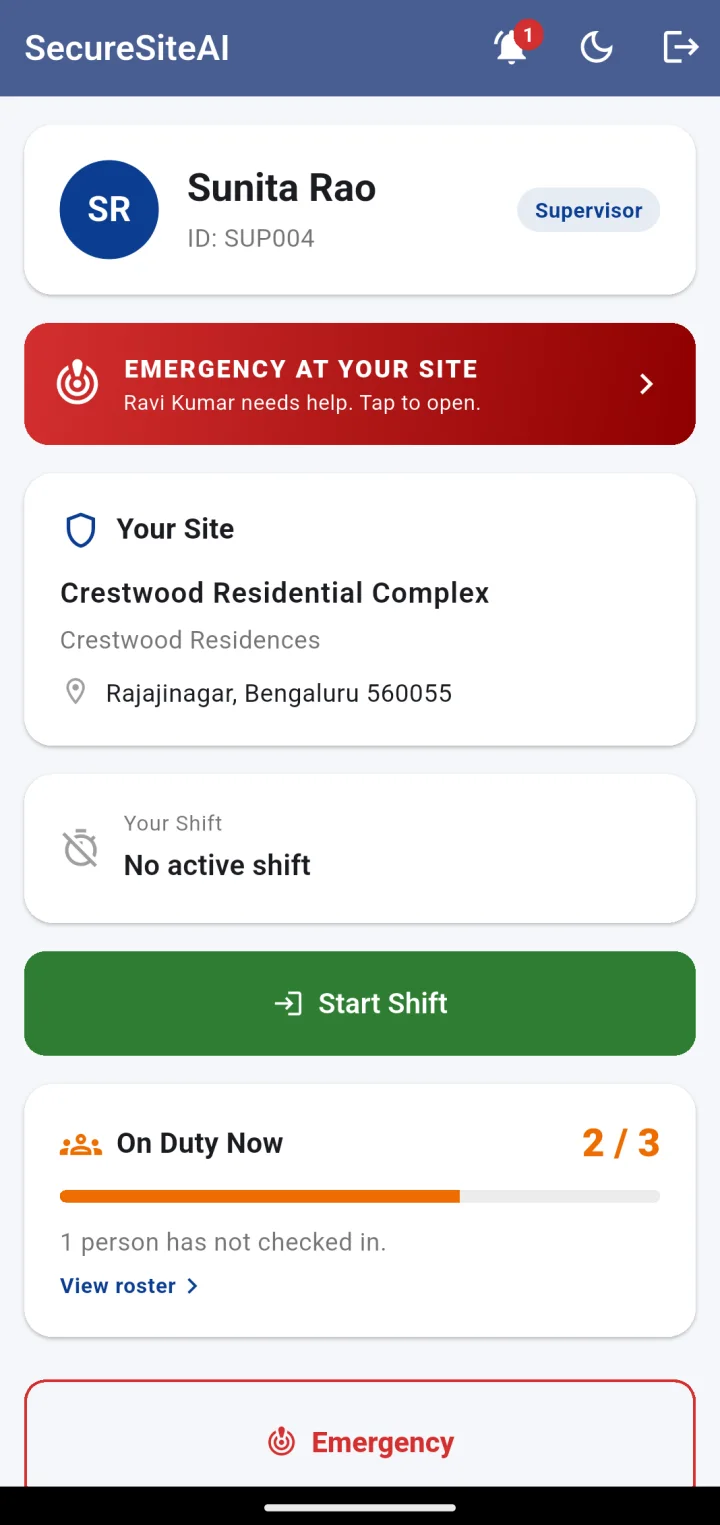
Supervisor home: your site, your shift, an on-duty meter reading 2 of 3, an emergency banner and a Start Shift button
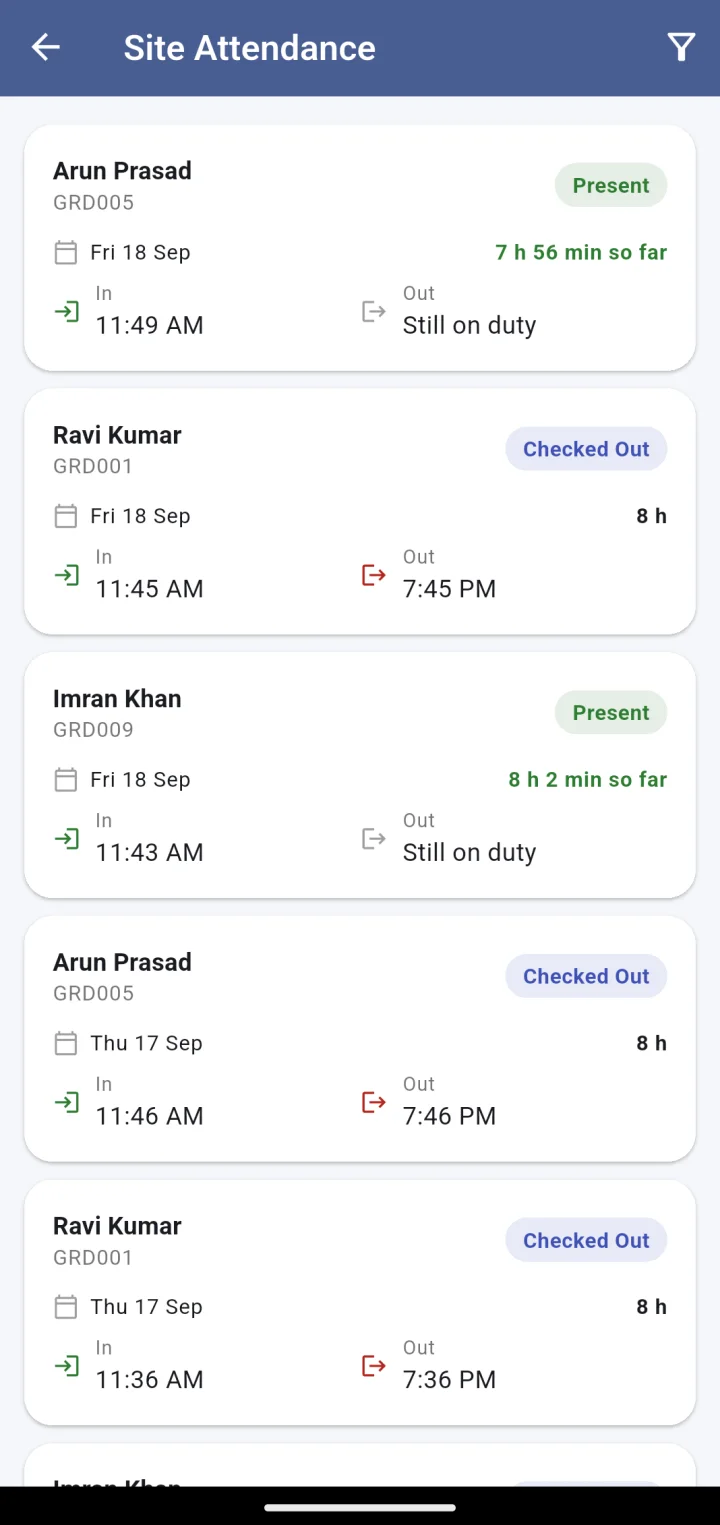
Site attendance: each guard’s day with status, hours so far, check-in and check-out times

Screen by screen

One site. Every person on it. Right now.

A supervisor is scoped to their own site: they see their roster, their attendance and their emergencies, and nothing from the rest of the company.

Supervisor home with the on-duty meter at 2 of 3 and a note that one person has not checked in
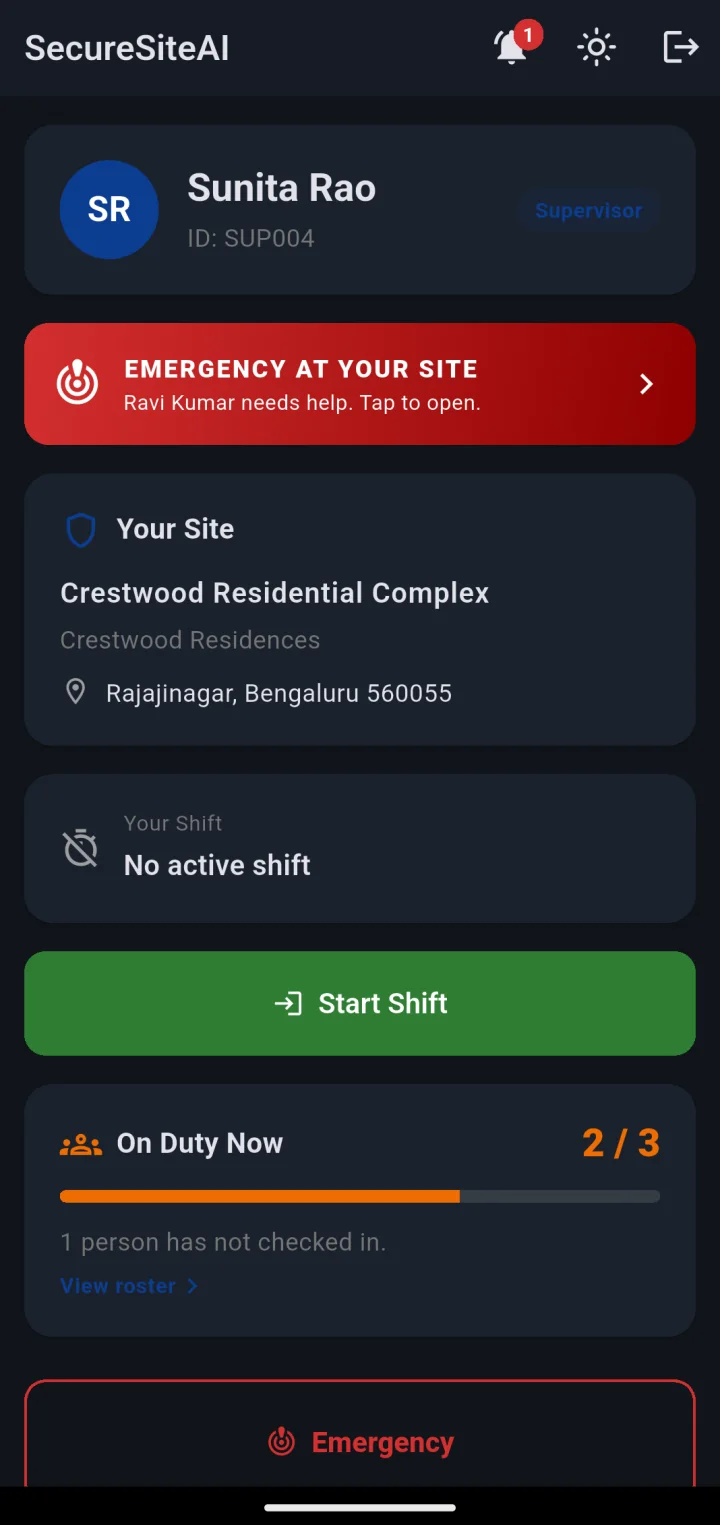
The same home screen in dark mode

The on-duty meter

Required headcount versus who has actually checked in, as a bar the supervisor can read from across the guard house. Green when the site is covered, amber when it is short. The number is live — it moves the moment a guard’s check-in is verified.

  • Site name, client and address, so there is never a question of “which site”
  • “1 person has not checked in” with a link straight to the roster
  • Dark mode for the night shift
Site roster grouped into not checked in and on duty, with a Call button beside the missing guard
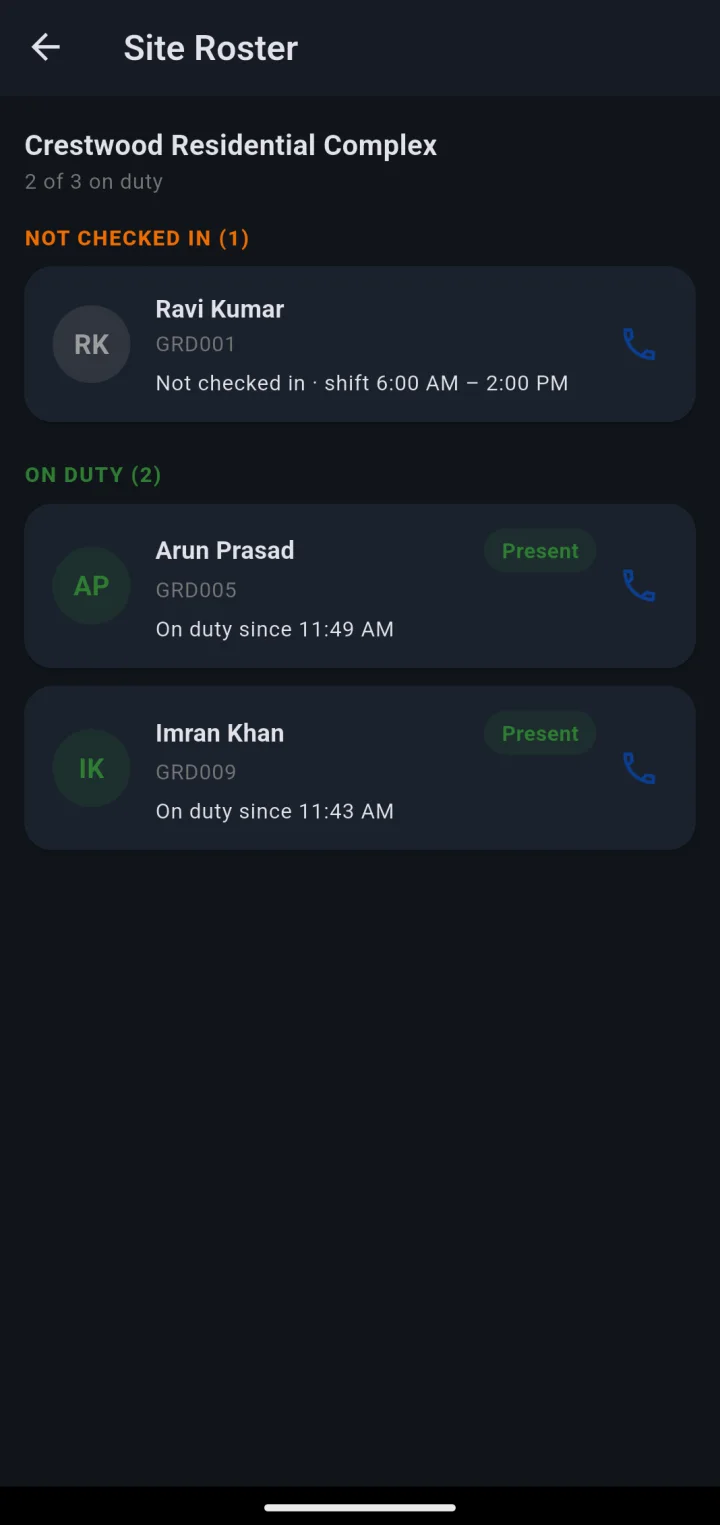
Site roster in dark mode

The roster, sorted by who is missing

Not-checked-in guards come first, each with their shift time and a Call button. On-duty guards follow with the time their shift was verified. No scrolling through the people who are fine to find the one who is not.

  • Grouped: not checked in, then on duty
  • One-tap call to the guard’s registered number
  • Shift window shown against every name
Site attendance list filterable by date, with hours so far for guards still on duty

Site attendance, by date

Every verified shift at the site — present, late, checked out — with check-in and check-out times and hours worked. Guards still on duty show hours so far. This is the same record the control room and the client see; the supervisor just sees their own site’s slice.

  • Filter by date for a client query or a payroll question
  • Hours so far for guards still on post
  • Read-only: supervisors cannot edit a record, which is the point
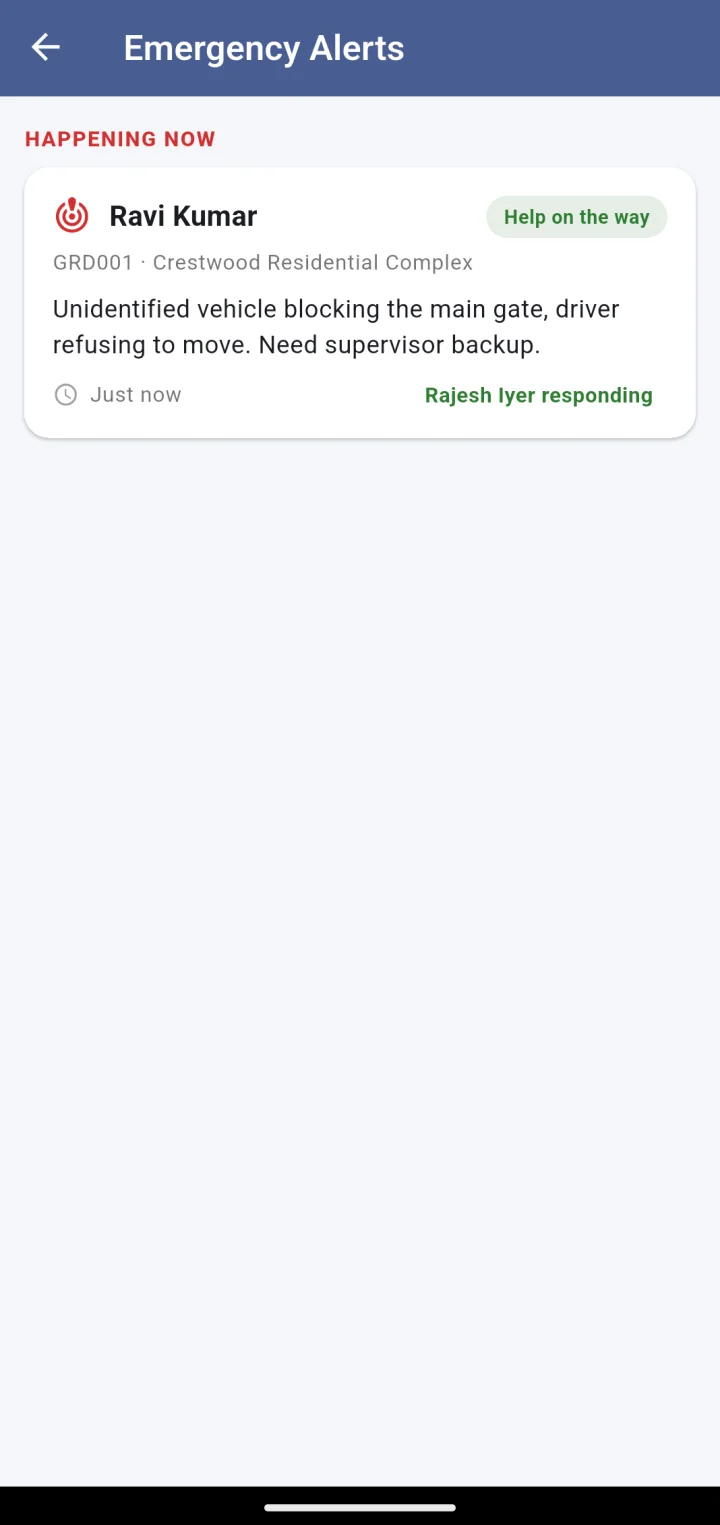
Emergency alerts: a live incident at this site with the guard’s name, note, and who is responding
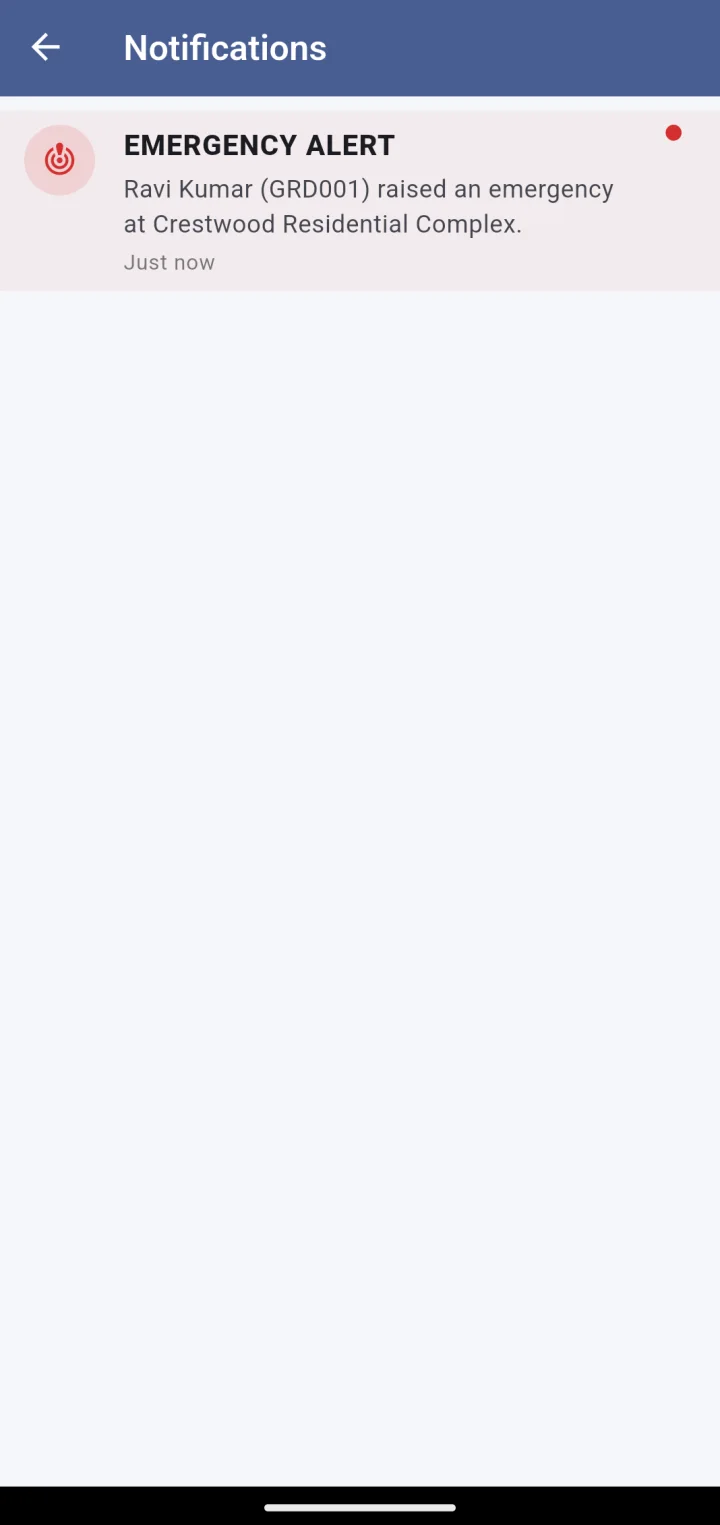
Notifications list with an emergency alert raised by a guard at the site

Emergencies at your site

When a guard at the site presses the emergency button, the supervisor gets a banner on the home screen and a push notification — alongside the guard’s colleagues, the closest manager on patrol and the control room. The alert shows who raised it, their note, their live position and who is already responding.

  • Site-scoped: only incidents at the supervisor’s own site
  • Live location until the incident is closed
  • Supervisors can raise an alert themselves, too

Same app, three roles

Supervisors are guards with a wider view.

A supervisor checks in and out exactly like a guard — inside the geofence, with a selfie — and carries the same Start Shift, Emergency, leave and grievance tools. The role adds the roster and site attendance; it does not remove the accountability.

Geofenced, selfie-verified shifts

The supervisor’s own attendance is proven the same way as everyone else’s.

Site roster and attendance

Who is on post, who is missing, and the site’s verified history.

Emergency alerts

Notified for every incident at the site; can raise one as well.

QR checkpoints, leave, grievances

Everything a guard has, on the same screen.

Questions

About the Supervisor app

Is it a separate app to install?

No. Guards, supervisors and managers all install the same Android app. The screens change with the role on the account — a supervisor signs in with their employee ID and gets the site view.

Can a supervisor cover more than one site?

A supervisor is assigned to one site at a time. Someone who moves between sites is set up as a manager instead, and gets the patrol tools — see the Manager app.

Can a supervisor mark a guard present?

No. Attendance is only ever written by the guard’s own verified check-in. The supervisor sees who is missing and can call them; they cannot sign anyone in. That is what keeps the record trustworthy.

Do supervisors see other sites or clients?

No. The supervisor view is scoped to their assigned site. Company-wide views live in the Command Center.

Next step

See it running on your sites.

A 30-minute walkthrough on a live account: your sites on the map, a guard checking in, a manager on patrol. No slides.