Product · Android

Manager app

For the people who drive between sites. A patrol is started from the phone, every checkpoint is checked in and reported, and the route is recorded — so supervision is something you can show a client.

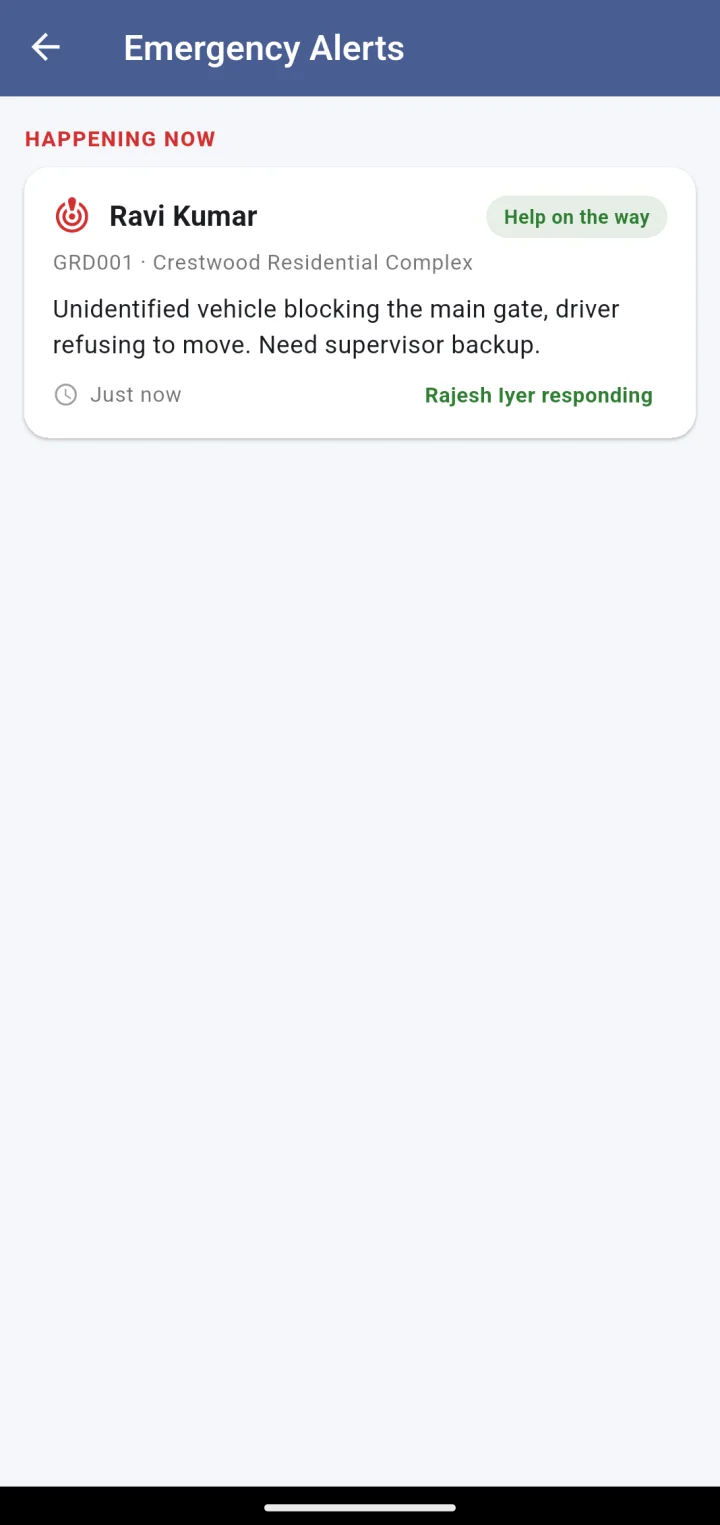
Emergency alerts screen: a live incident with the guard’s name, site, note and who is responding
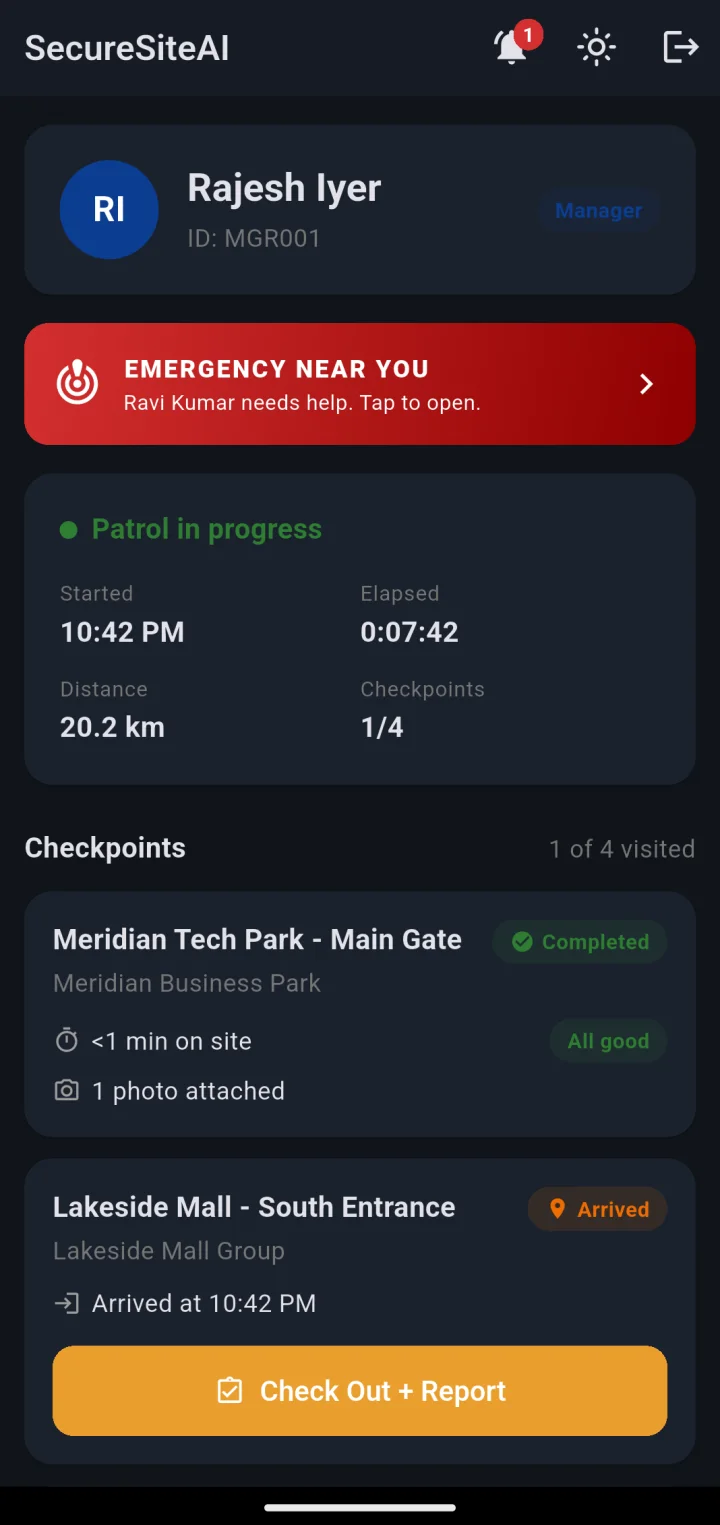
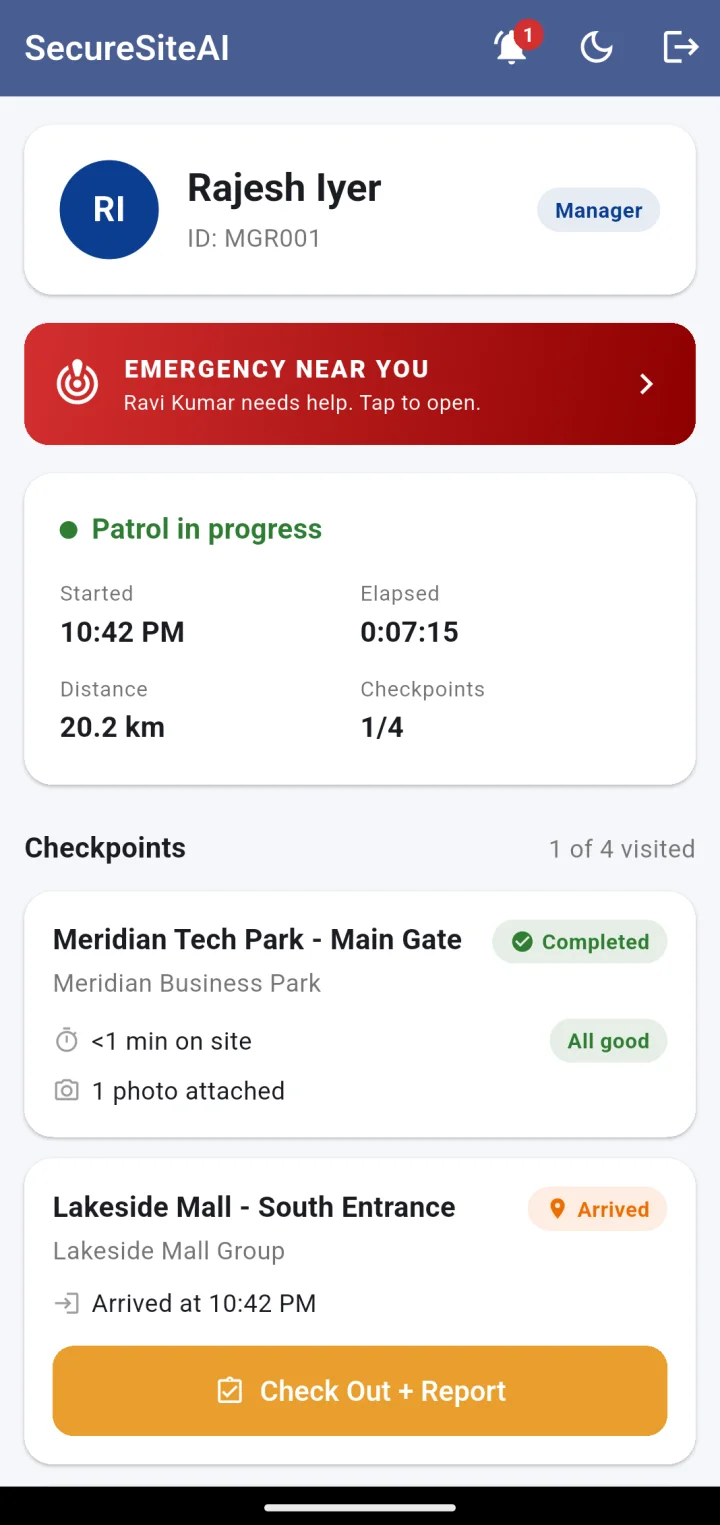
Manager home with a patrol in progress: started time, elapsed, distance, checkpoints 1 of 4 and the checkpoint list
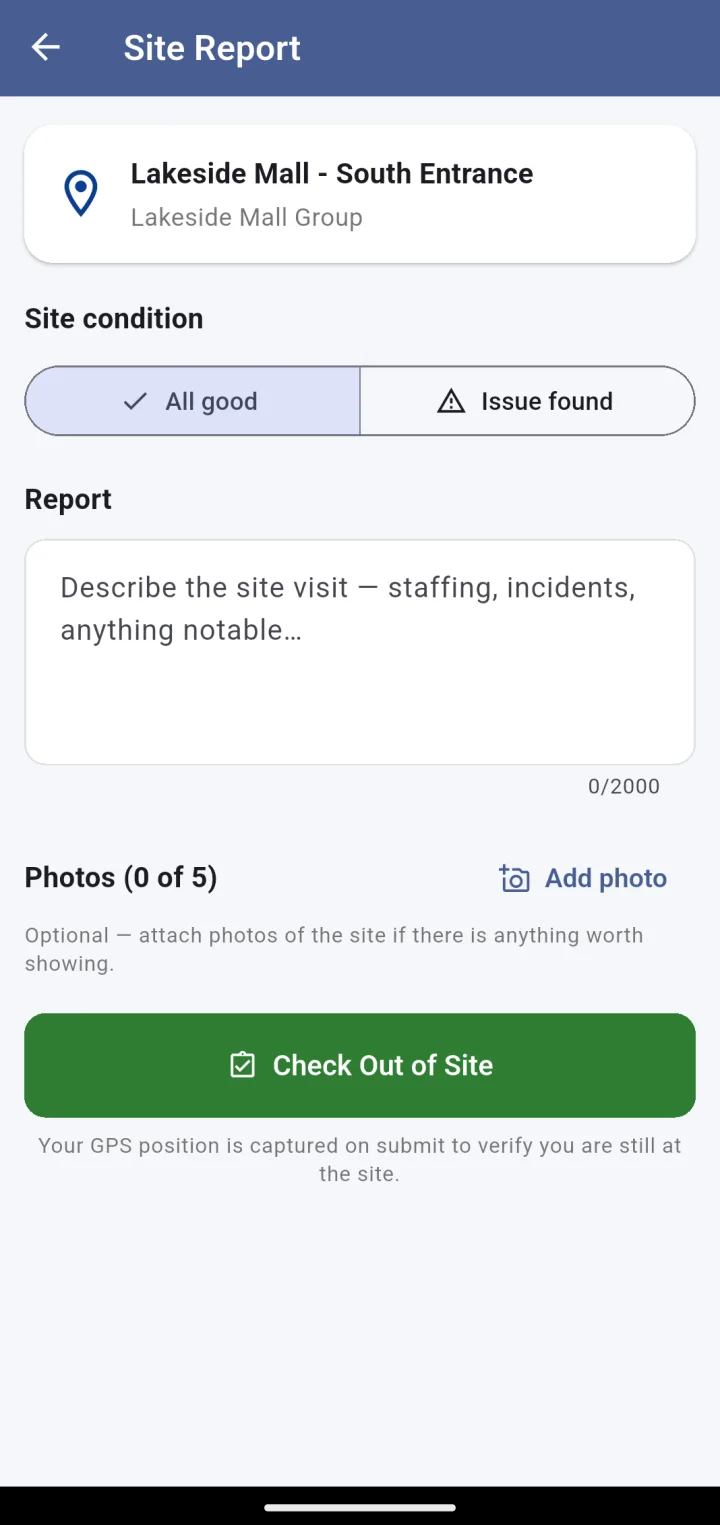
Site report form with All good or Issue found, notes and photo attachments

Screen by screen

A patrol that writes its own report.

Patrol in progress with checkpoints: one completed with a report and photo, one arrived, two pending
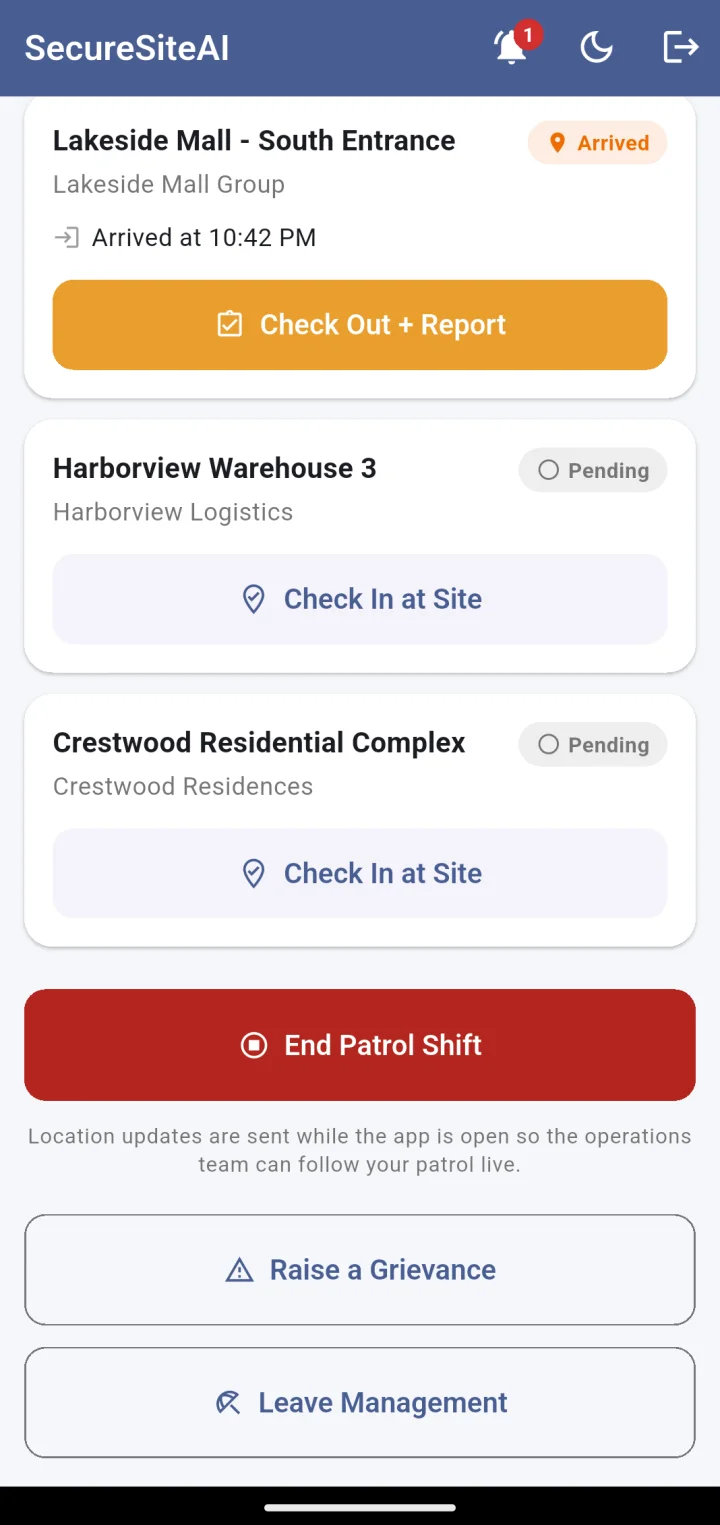
Lower part of the patrol screen: Check In at Site, End Patrol Shift, and a note that location updates are sent while the app is open

Start a patrol, get a checkpoint per site

Starting a patrol from home creates a checkpoint for every site the manager is assigned to. Drive to each one, check in on arrival, check out with a report. The elapsed time, distance and checkpoints visited are on the screen — and on the Command Center.

  • Route recorded between sites, even with the screen off
  • Arrival and departure timestamps per checkpoint
  • End the shift when back home; the record closes
Site report: site condition All good or Issue found, a 2000-character report and up to five photos

No leaving without a report

Checking out of a site asks for its condition — all good, or an issue — a written report and, if needed, up to five photos. The report is attached to the checkpoint and visible to the control room and, where you choose, the client.

  • Photos attach at check-out; no separate site-visit step
  • Issue reports stand out on the patrol record
  • Works on mobile data; photos upload in the background
Emergency alerts: Ravi Kumar needs help at Crestwood Residential, help on the way, Rajesh Iyer responding
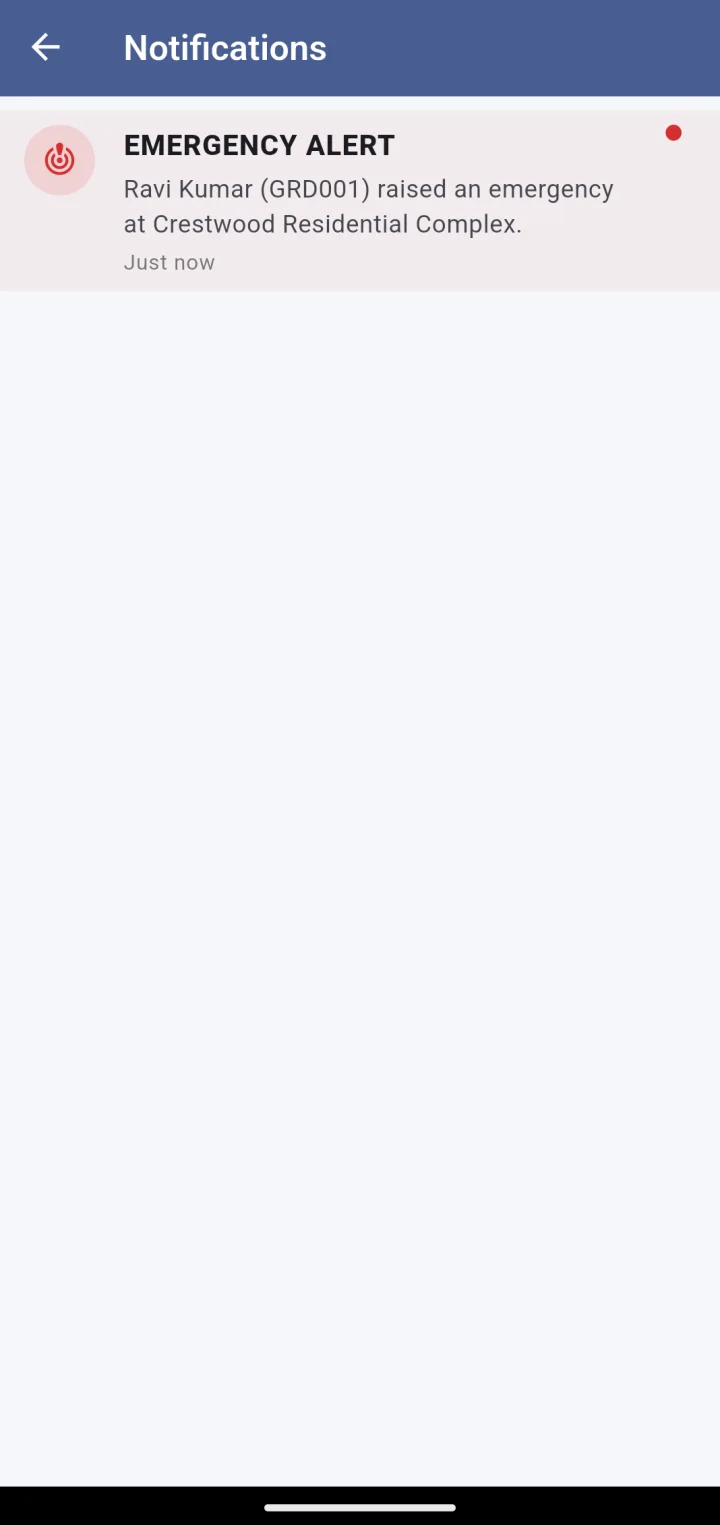
Notifications list with an emergency alert and its resolution

Respond to the nearest emergency

When a guard raises an alert, the closest manager on patrol is told — with a banner on the home screen and a push notification. Tap it, say you are responding, and the guard and the control room both know help is on the way.

  • One responder per incident, so nobody drives for nothing
  • The guard’s live position until the incident closes
  • Resolved from the phone or from the control room
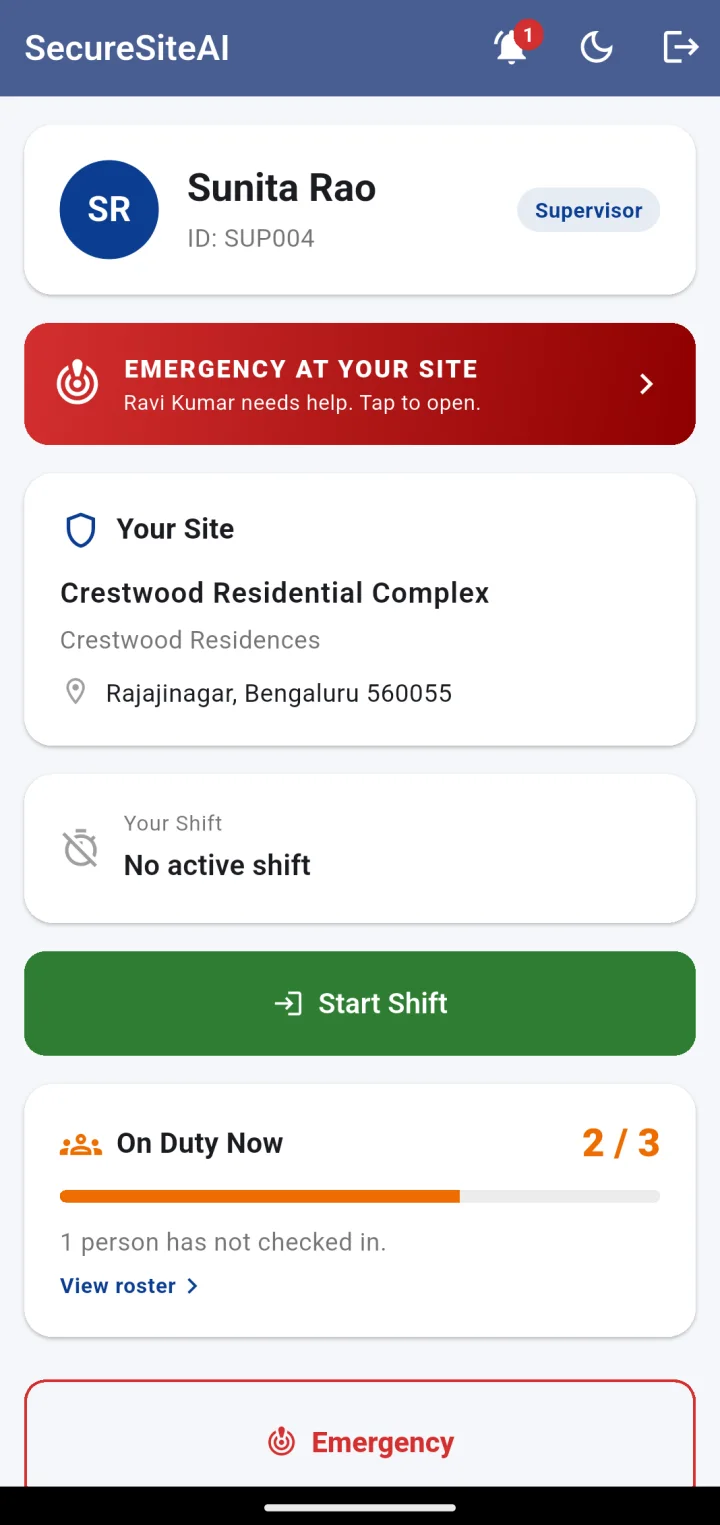
Supervisor home: your site, your shift, on-duty count, and shortcuts to the site roster and attendance
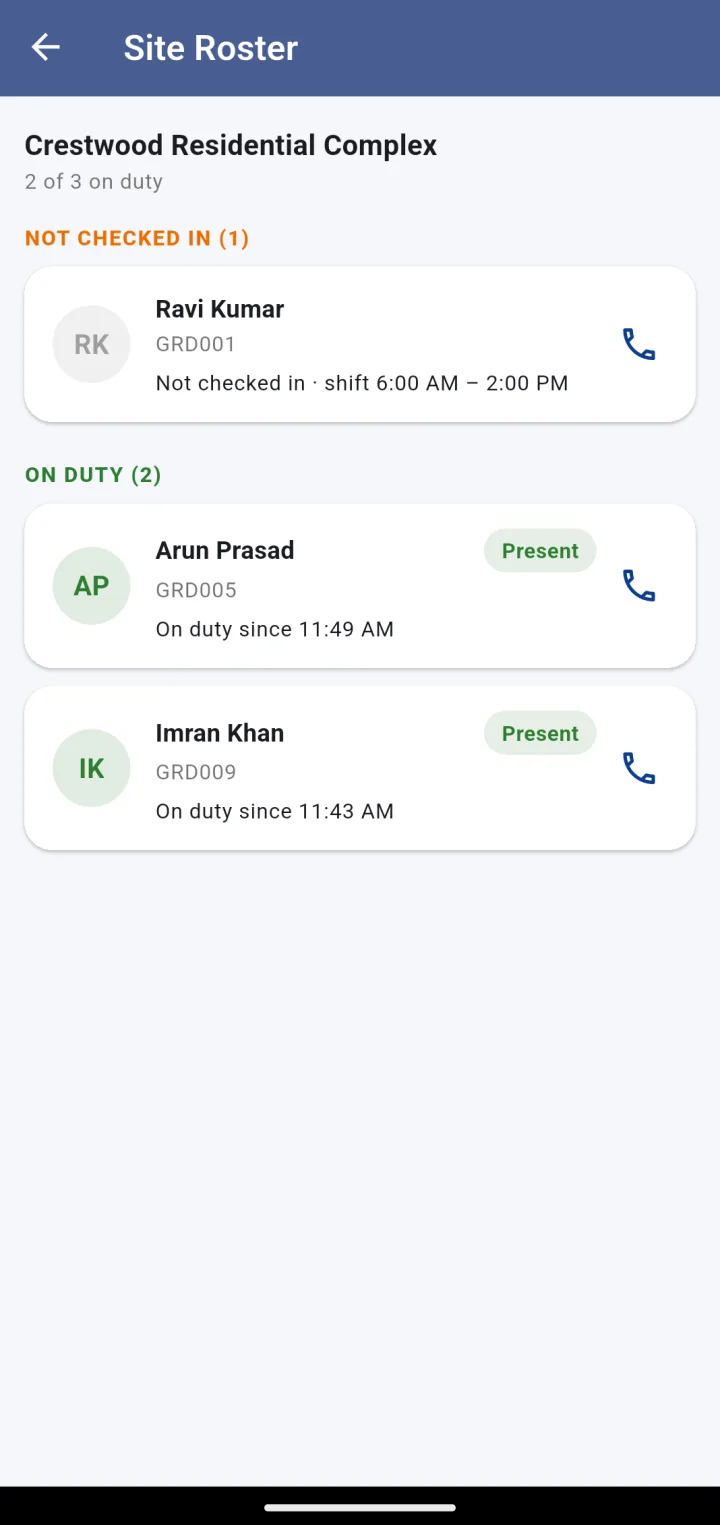
Site roster: guards not checked in, with their shift times and a Call button

Supervisors get their own view

A site supervisor sees their own site: who is on duty, who has not checked in yet, and a Call button beside each name. Same app, different role — see the Supervisor app for the full tour.

  • Site roster grouped by on duty and not checked in
  • Site attendance history, filterable by date
  • Supervisors also check in and out with geofence and selfie
The patrol screen in dark mode

Made for night shifts

A dark theme is one tap away. Screenshots and screen recording are blocked inside the app, so a colleague’s live location or a guard’s selfie never ends up in someone’s gallery.

  • Dark and light themes
  • Screen capture blocked on every screen
  • Runs on entry-level Android handsets

Next step

See it running on your sites.

A 30-minute walkthrough on a live account: your sites on the map, a guard checking in, a manager on patrol. No slides.